
How time zones work in Fluent
How Fluent sets each appointment's time zone, and how to change it when the people are somewhere else.
What you'll learn
- How Fluent sets each appointment's time zone, and how to change it when the people are somewhere else.
How an appointment gets its time zone
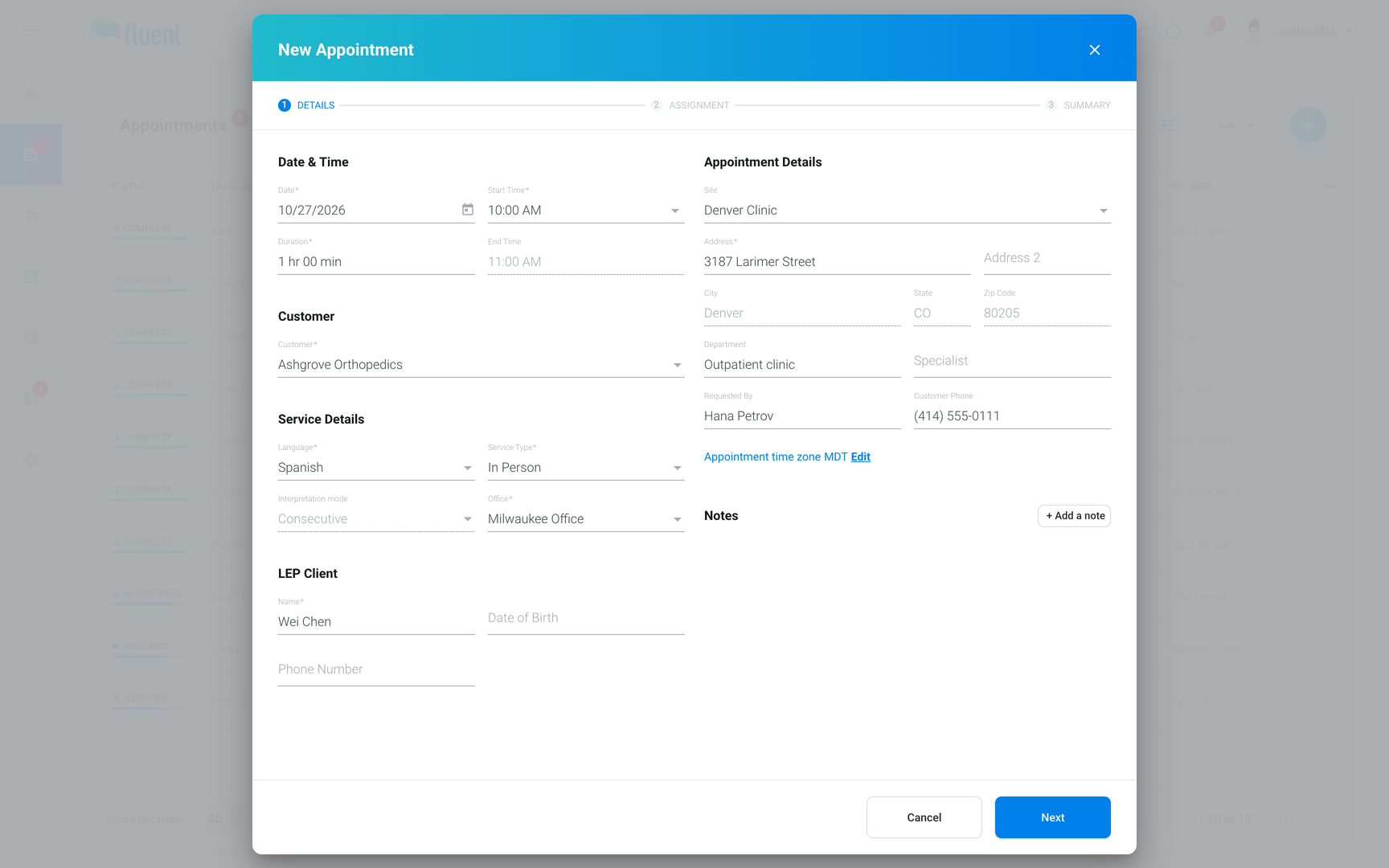
Fluent sets each appointment's time zone for you, and you can always change it. You enter the start time as it reads in that time zone.
- In-person: set automatically from the address of the customer, the site, or the address you pick.
- Video or Phone with no address: set automatically to your computer's time zone.
- Any appointment: set it yourself at any time. See Change the time zone.
Important: For a Video or Phone appointment with people in another state, check the time zone before you save. If you picked the customer first, the appointment keeps the customer's time zone.
Change the time zone
Anyone who creates or edits an appointment can change its time zone.
- Open the appointment on the Details step. For a saved appointment, open it from Appointments and click Edit.
- Under Appointment Details, click Edit next to Appointment time zone.
- In Timezone, enter a city or time zone name, then select it.
- Click Next until you reach Summary, then click Save, or Update on a saved appointment.
The start time stays the same on the clock, now in the new time zone: 9:00 AM stays 9:00 AM.
Times on other screens
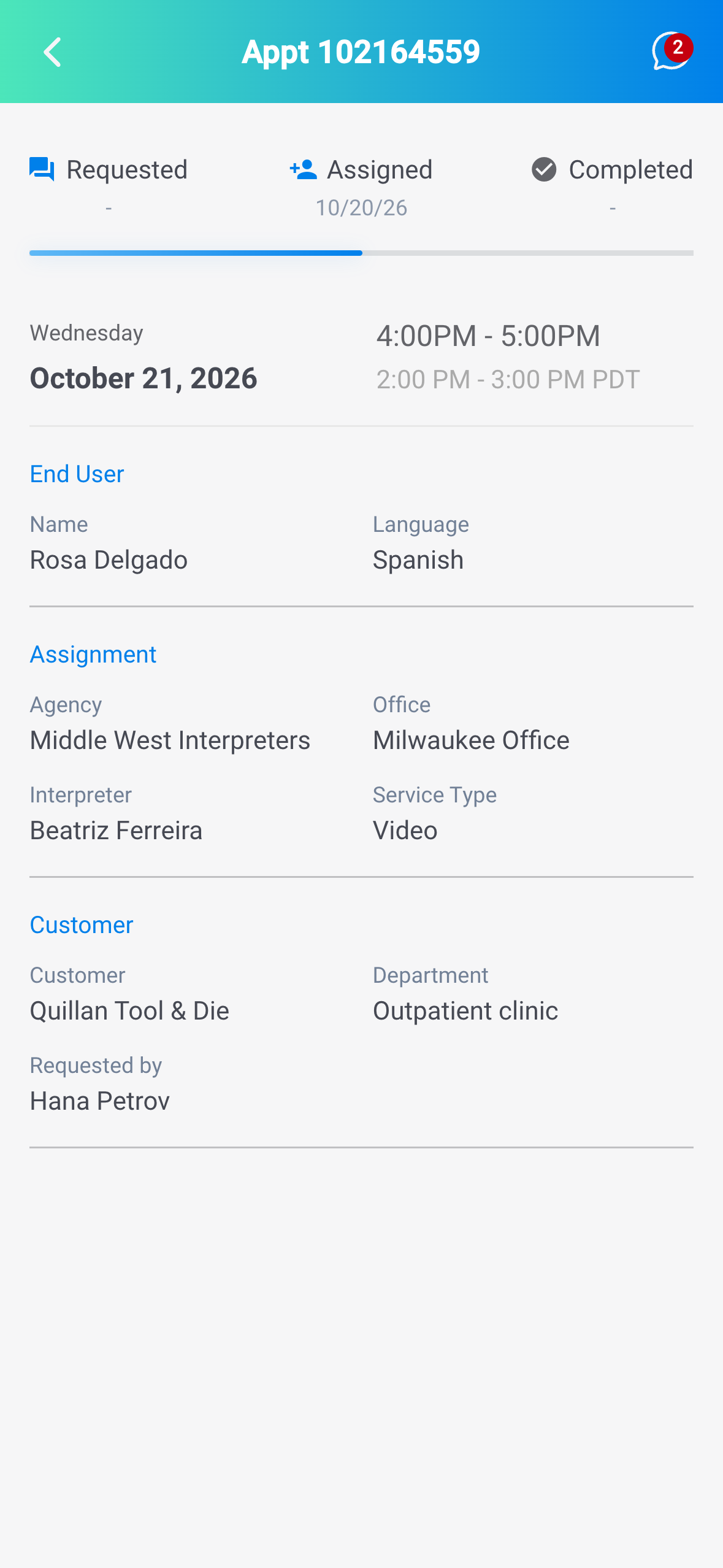
Fluent can show a time in two time zones: the appointment's, and your own (the one your computer or phone is set to). They only differ when you're in a different time zone from the appointment.
- The appointment: shows its time in the appointment's time zone, labeled with it, such as 9:00 AM CDT.
- The Appointments list and calendar: show times in your own time zone, so they can differ from the appointment.
- Mobile app: shows your local time, with the appointment's time and time zone on a second line when they differ.
Rules and limits
- On an In-person appointment, picking a customer, site, or address again resets the time zone from that address, even after you changed it.
Troubleshooting
The Appointments list shows a different time than the appointment
The list shows times in your time zone. Open the appointment to see its own time and time zone, and change it with Edit next to Appointment time zone if it's wrong.