01 Appointments
Multi-view calendar
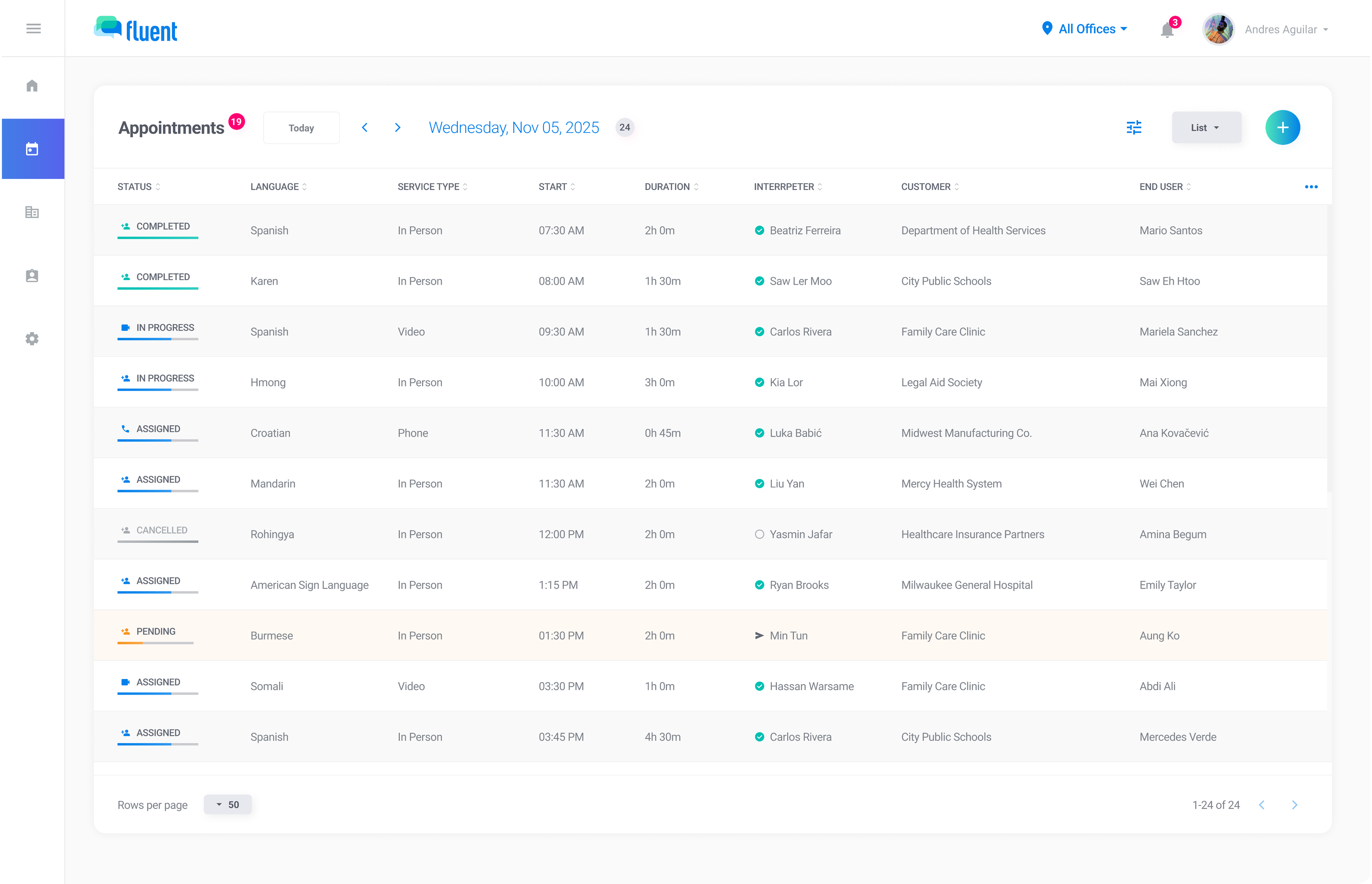
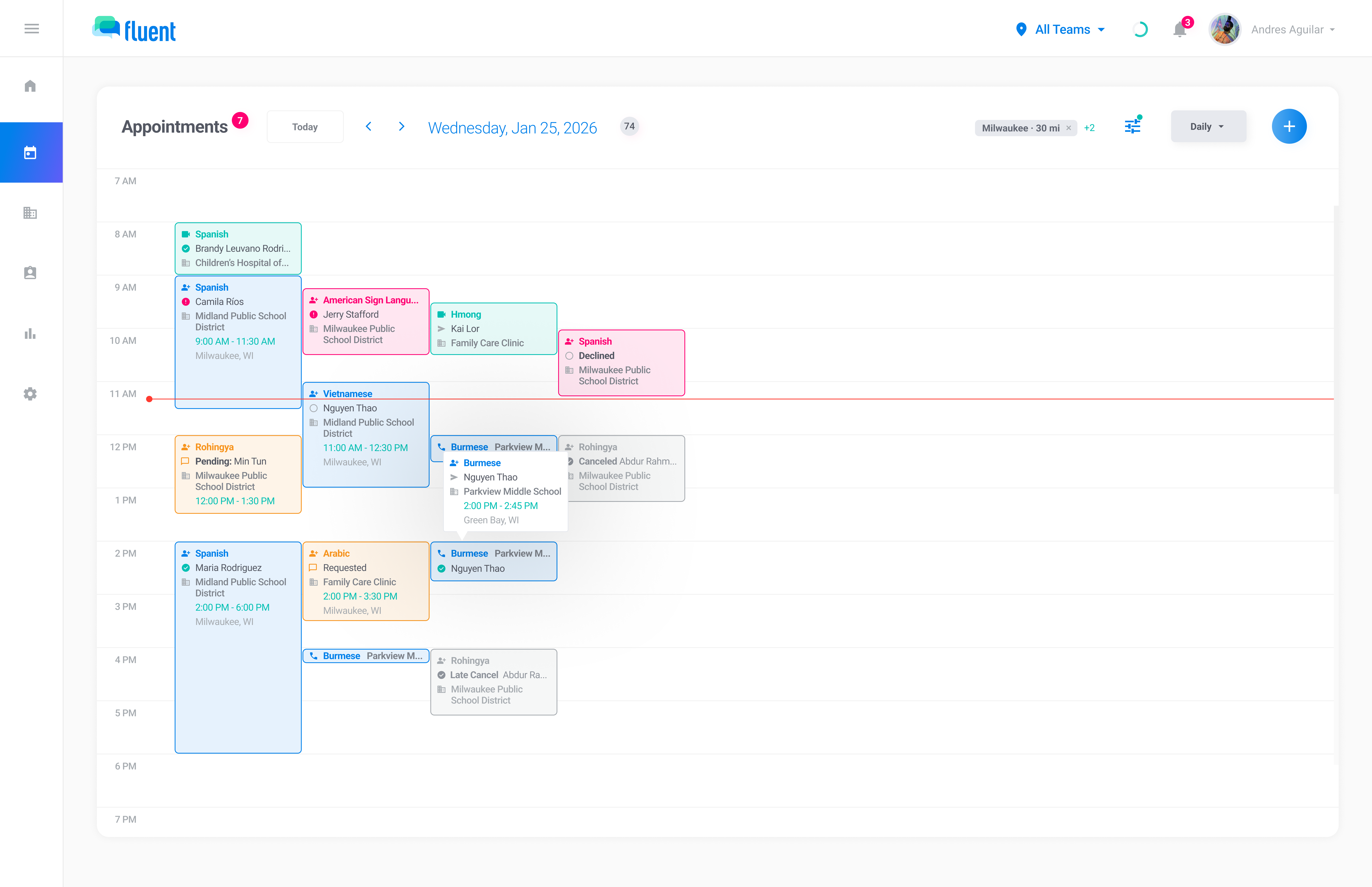
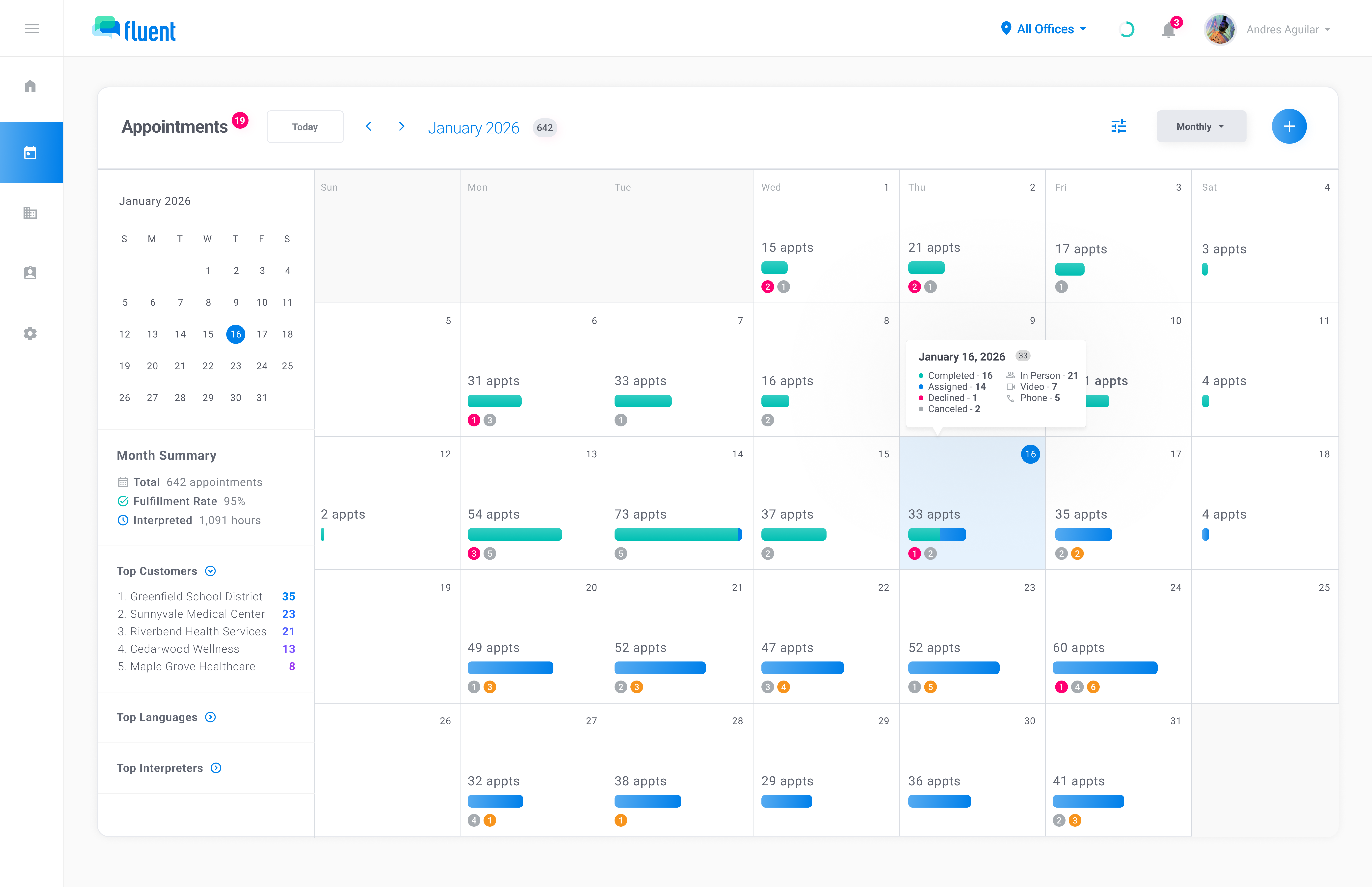
See your schedule the way you need it. List view puts every detail in a table. Day and week views show time blocks so you can see who's booked. Month view surfaces your busiest days at a glance.

Fill appointments faster, keep interpreters in the loop, and run every service type from one place.
View schedules by day, week, month, or map so teams can see workloads, availability, and appointment details at a glance.
Match the right interpreter to each appointment with assignment workflows, profiles, and availability built in.
Keep staff and interpreters aligned with confirmations, real-time updates, and mobile tools for every service type.
Calendar views, map context, and interpreter availability — all in one place. No toggling.
See your schedule the way you need it. List view puts every detail in a table. Day and week views show time blocks so you can see who's booked. Month view surfaces your busiest days at a glance.
One click filters to requests that need an interpreter. Sorted by date, with aging so you know how long each has been sitting.
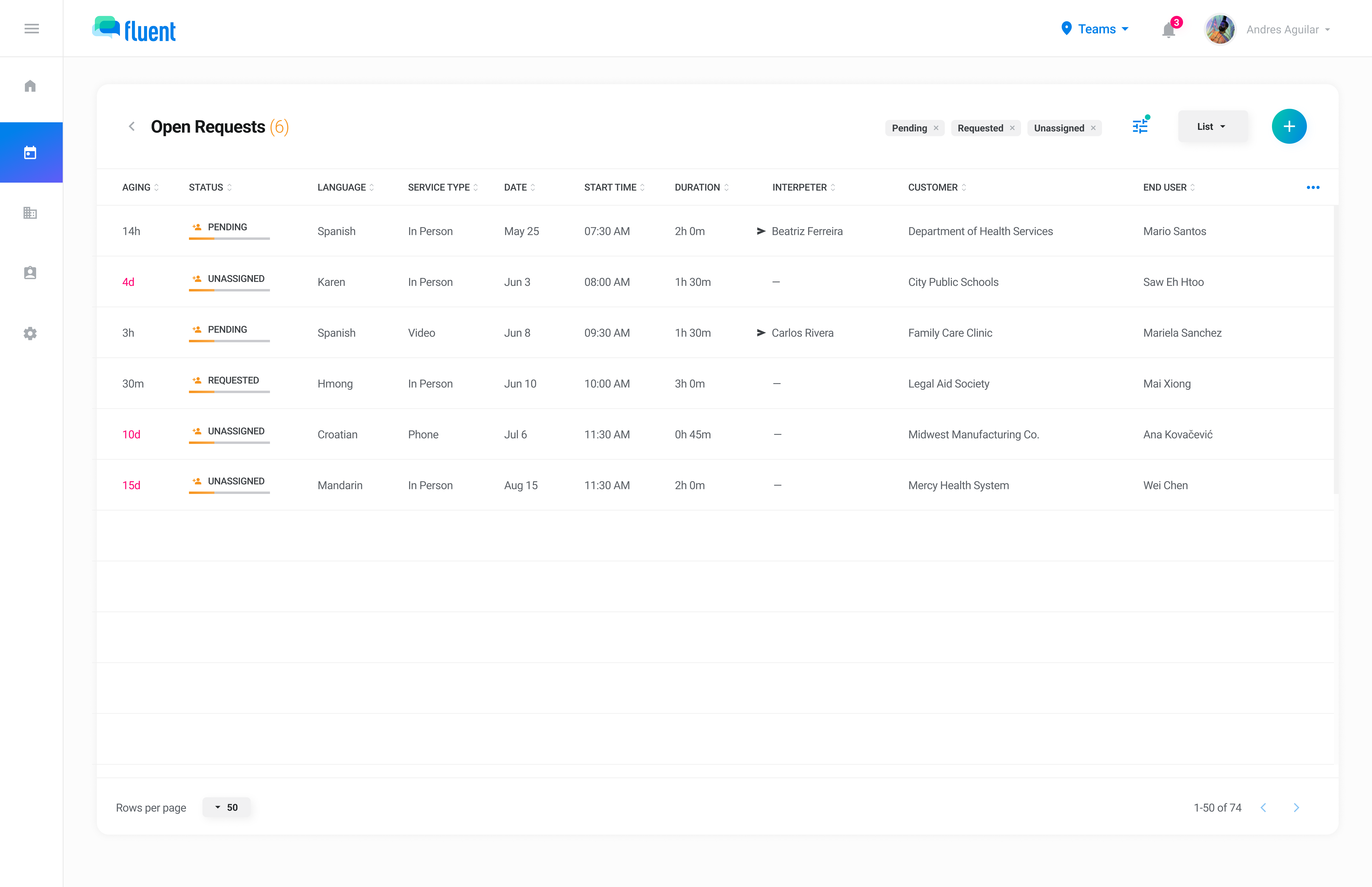
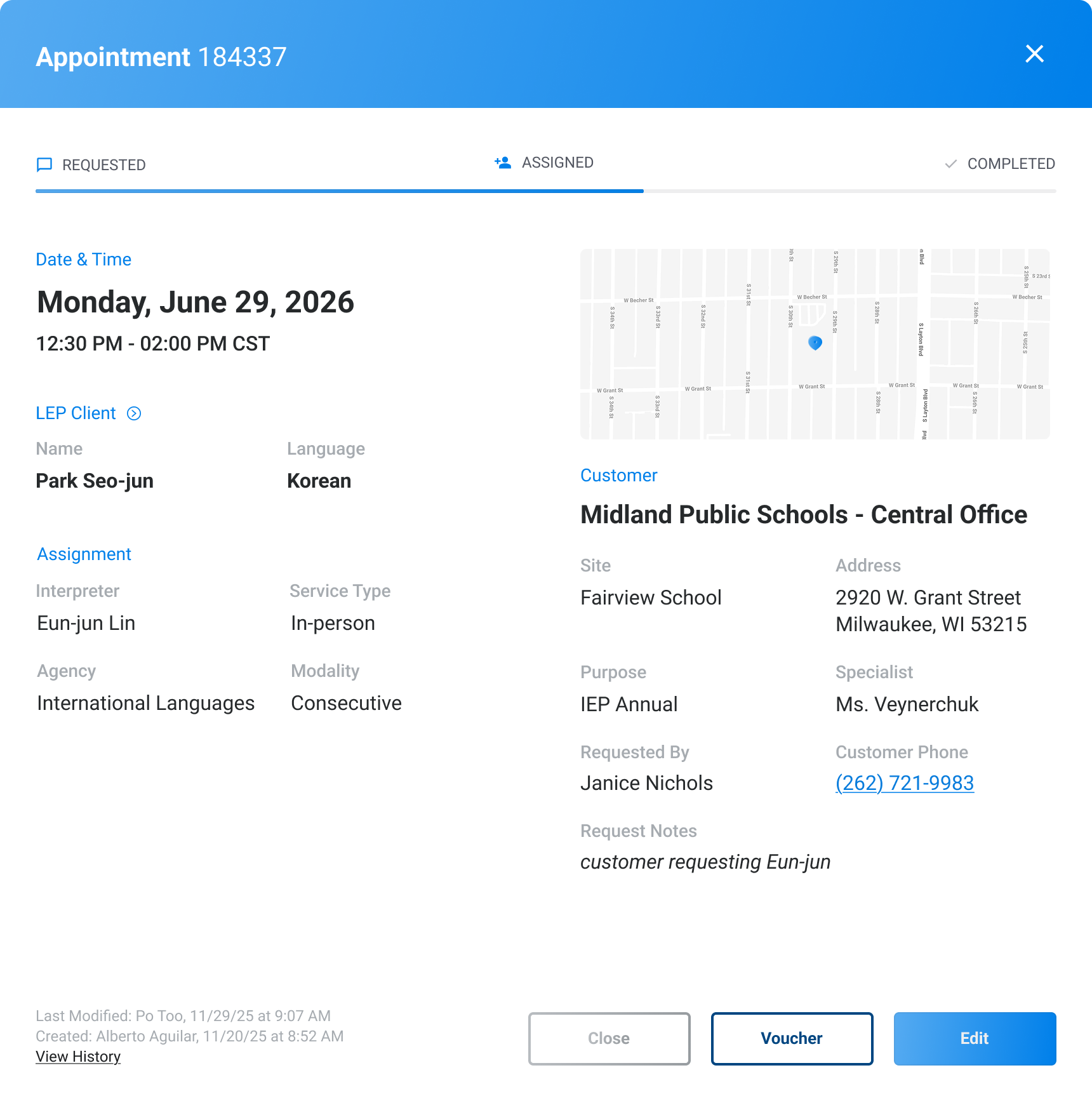
Click any appointment to see the full details, the location on a map or video meeting details, and an activity log of every change.
A clear status system so you can see what needs attention, what's covered, and what's done.




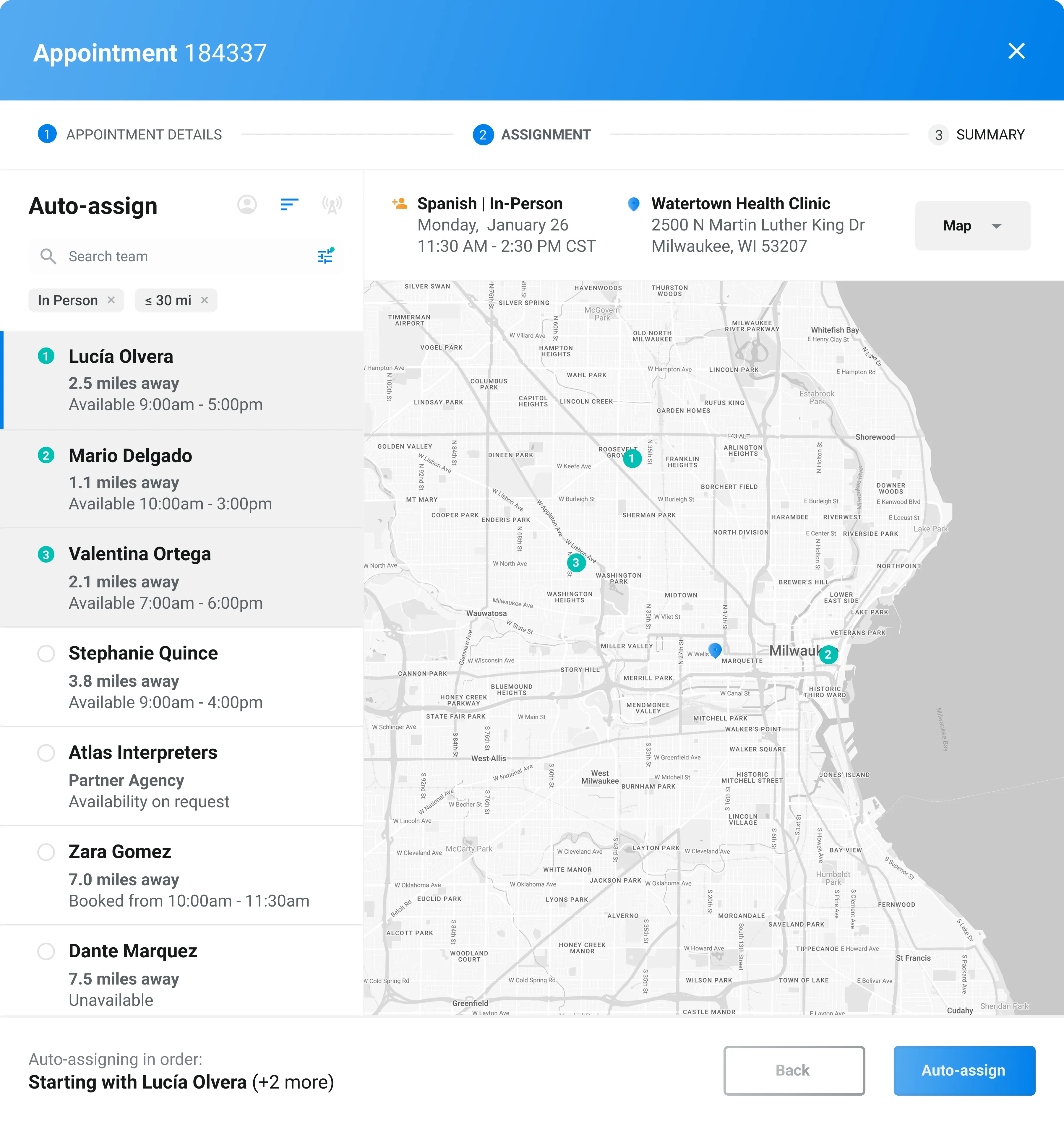
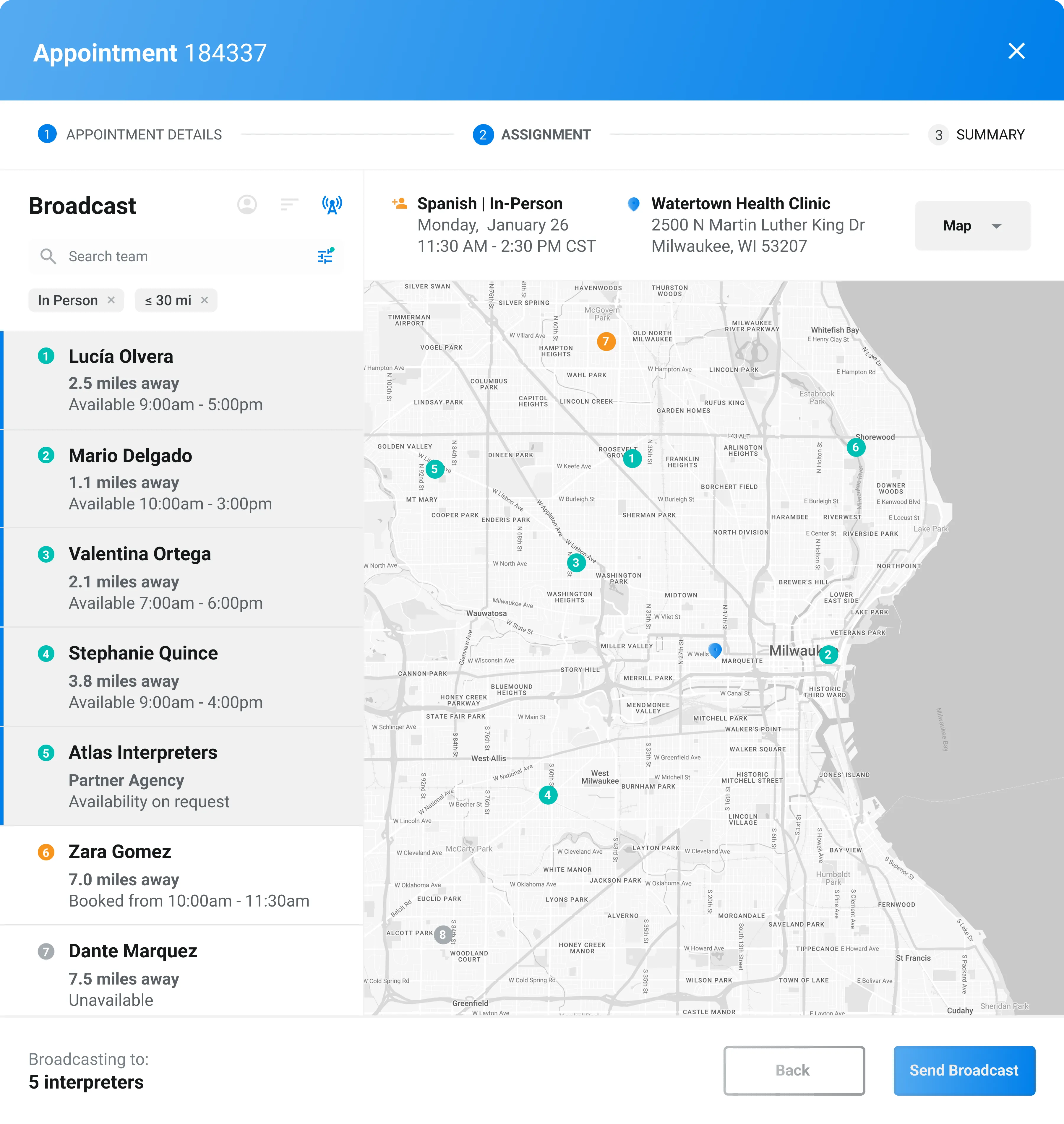
Filter by language, credentials, location, and availability to find the right interpreter. Then choose how to fill it: assign directly, run an automated offer queue, or broadcast to everyone.
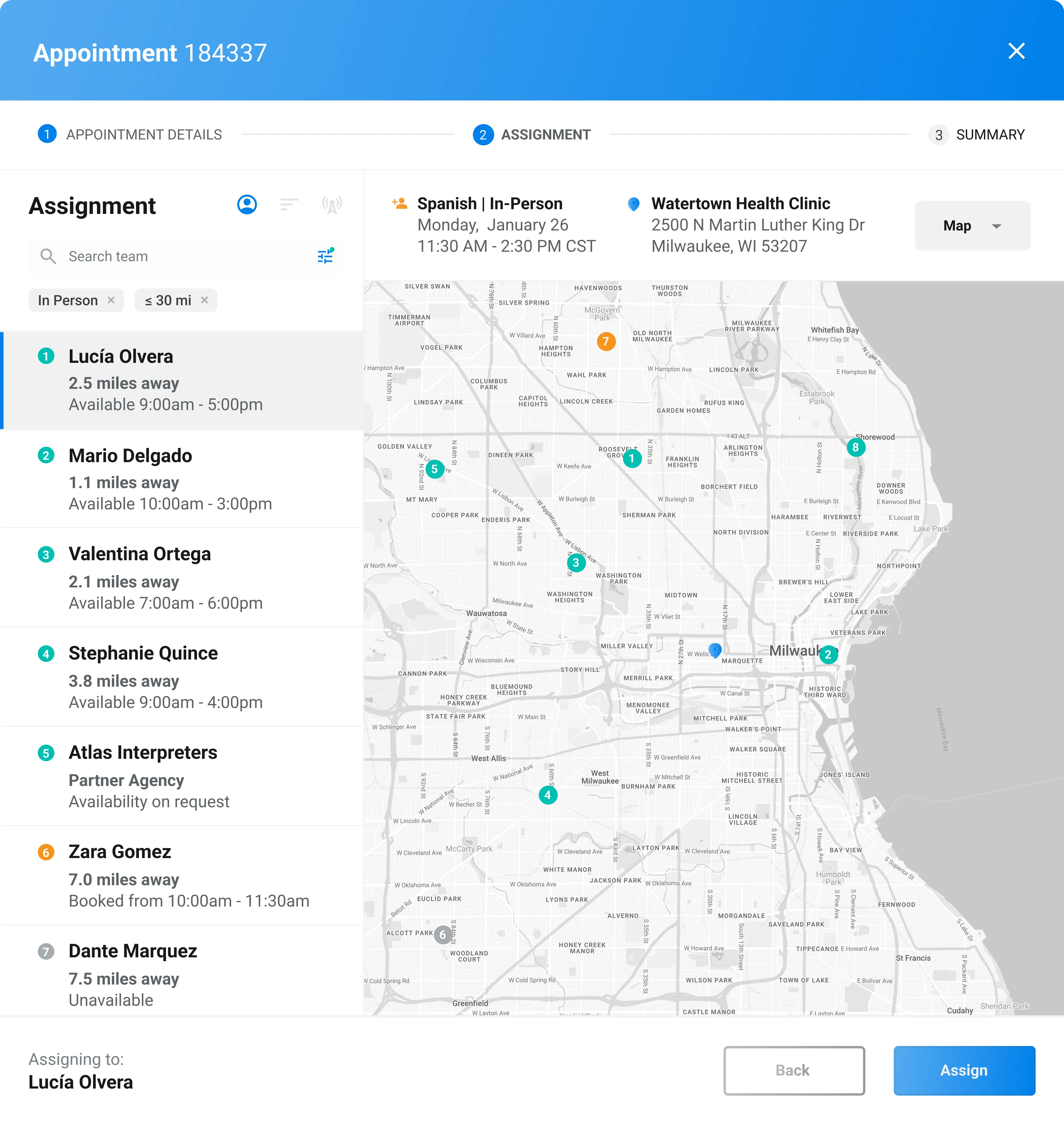
Pick the interpreter you want and send the offer directly.
Send offers to interpreters in the order you choose. If the first declines, the next gets it automatically.
Send an offer to every eligible interpreter at once. First to accept gets it.
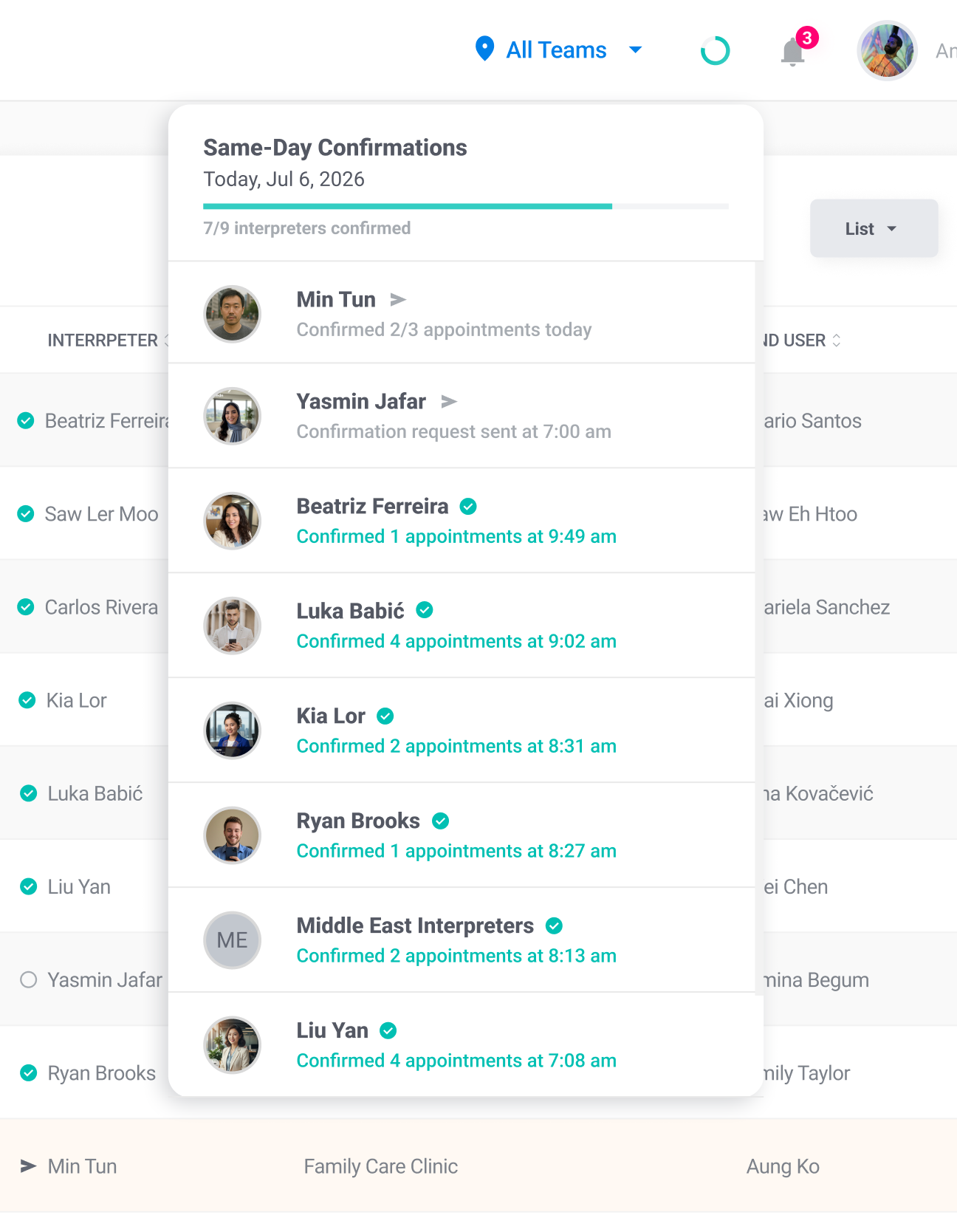
Know your interpreters. Profiles, confirmations, and appointment-level communication — one workflow, no gaps.
Interpreters confirm their schedule with a tap. Gaps surface early.
Languages, dialects, credentials, rates, and preferences — all in one place.
Keep questions, updates, and instructions tied to the appointment, not buried in email.
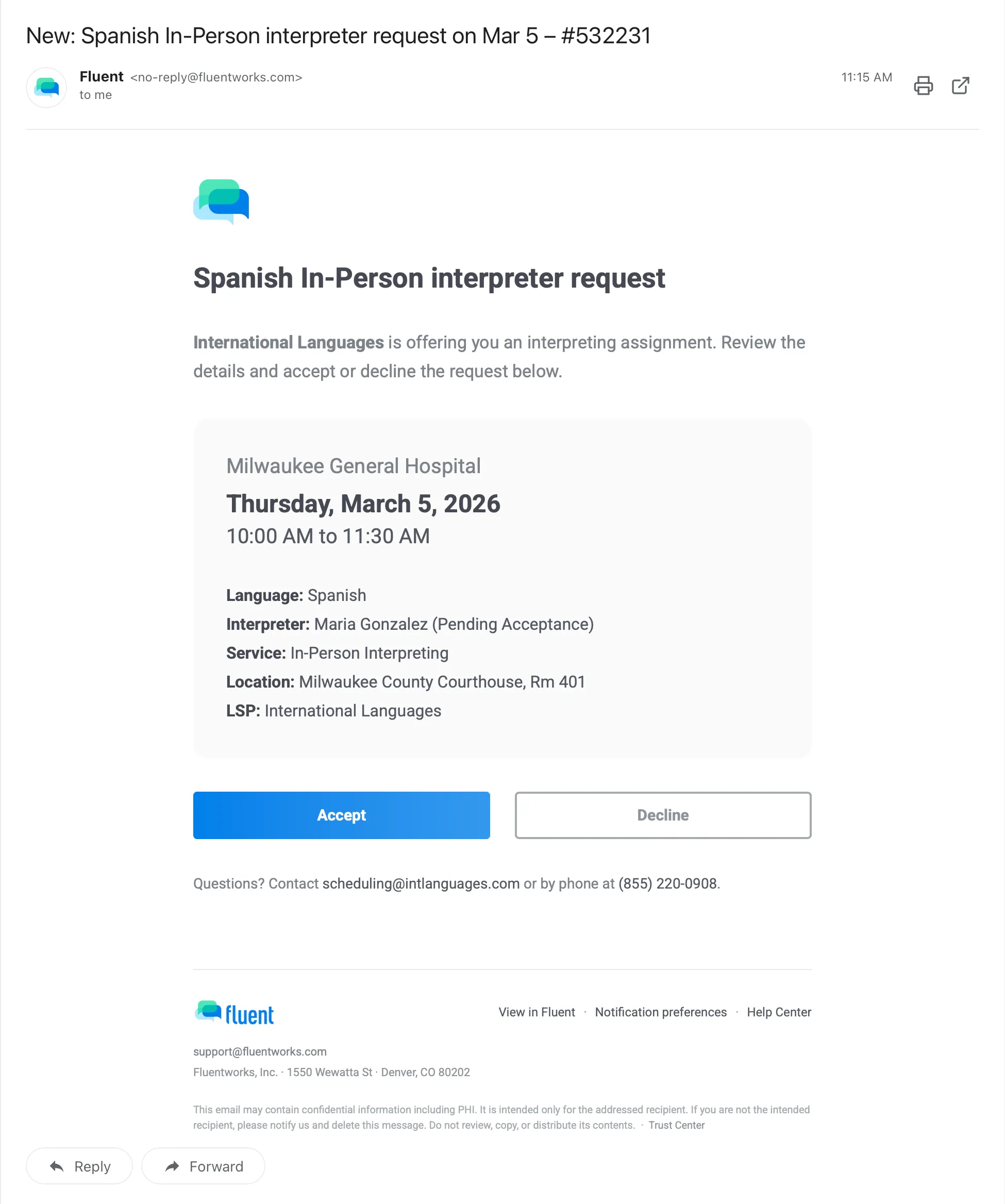
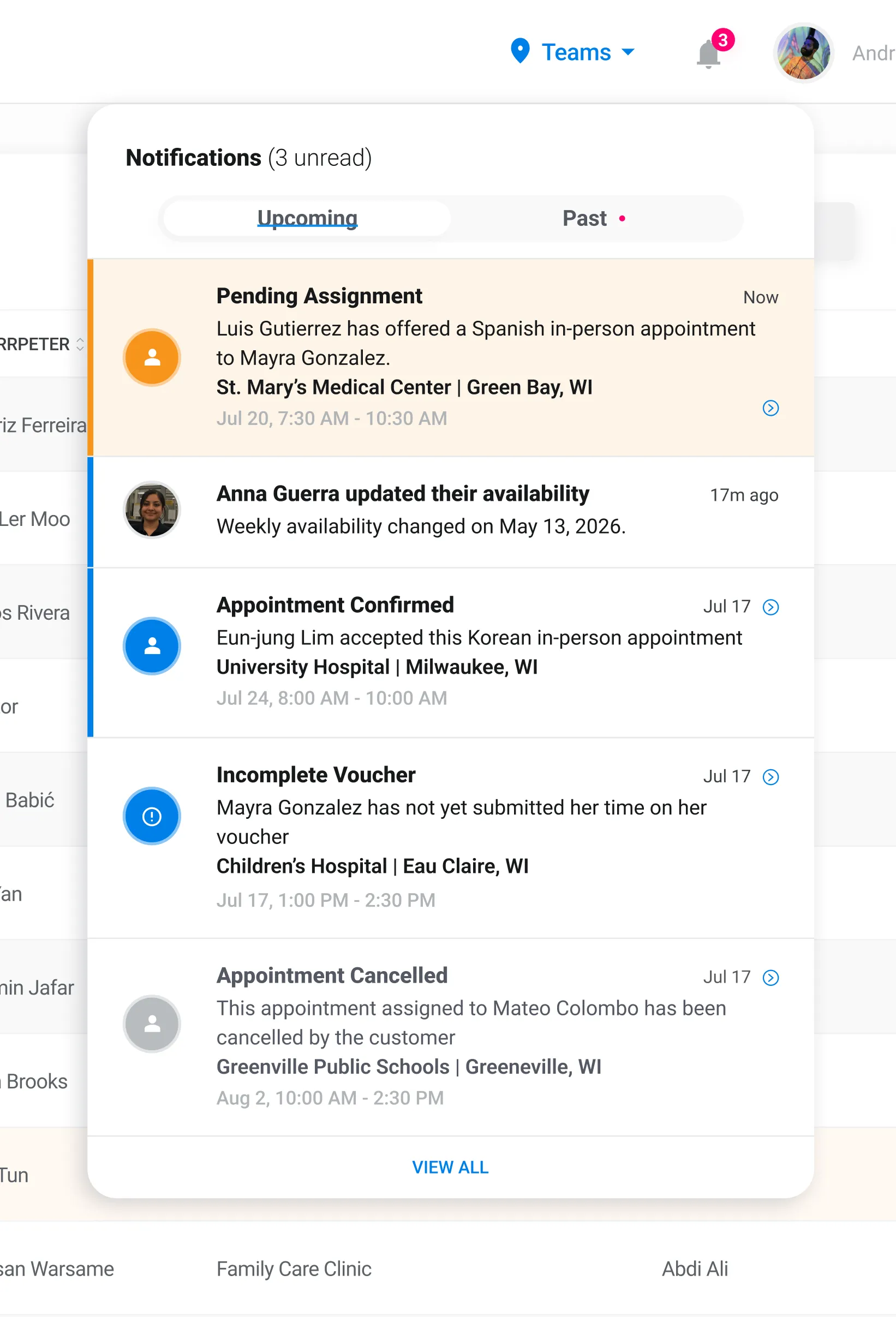
Real-time updates, reminders, and confirmations — delivered by email, web, and mobile.
Details change, interpreters know immediately.
Reduce no-shows with timely nudges before every appointment.
Email, browser, and mobile app. Reach interpreters wherever they are.
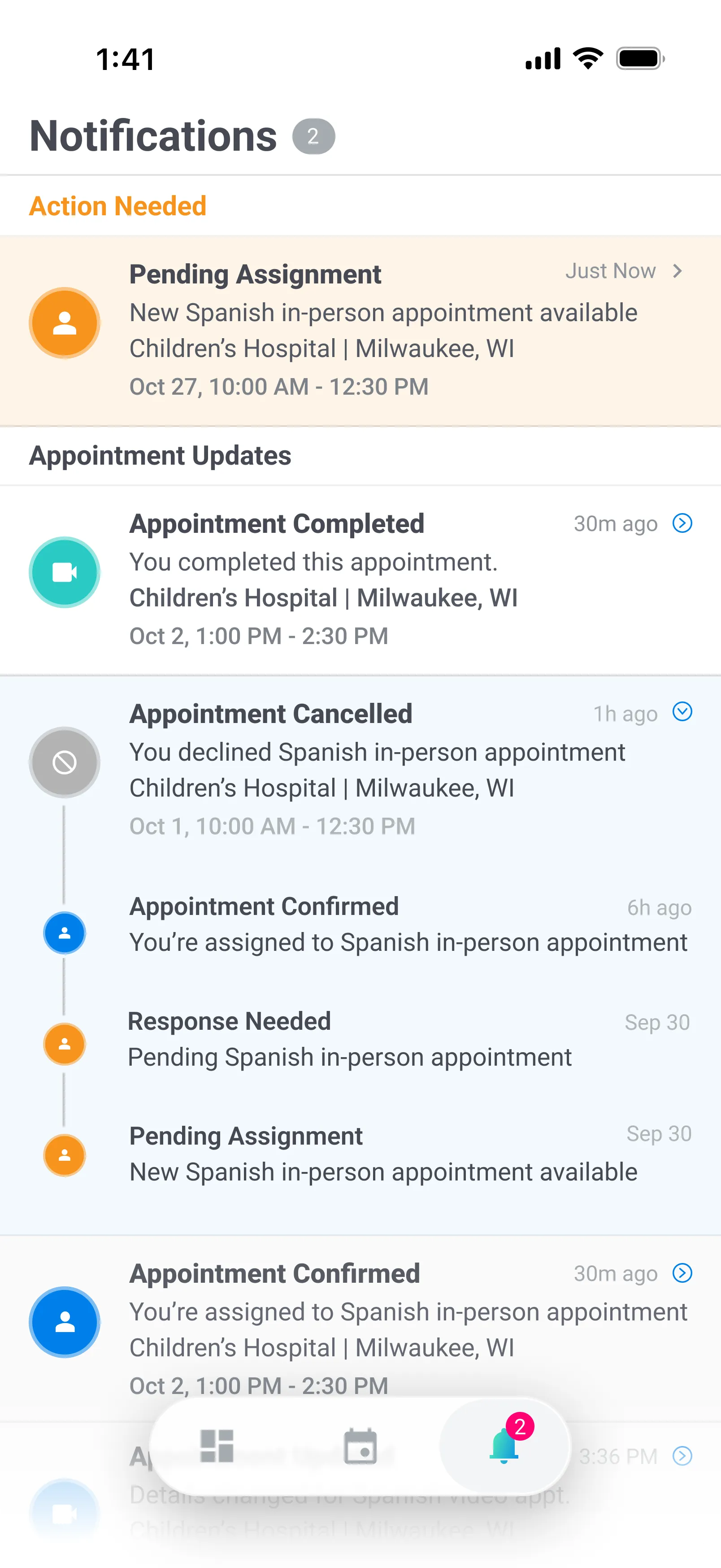
Fluent adapts to in-person, video, and phone interpreting with mobile tools that support timing, instructions, and appointment-specific details.
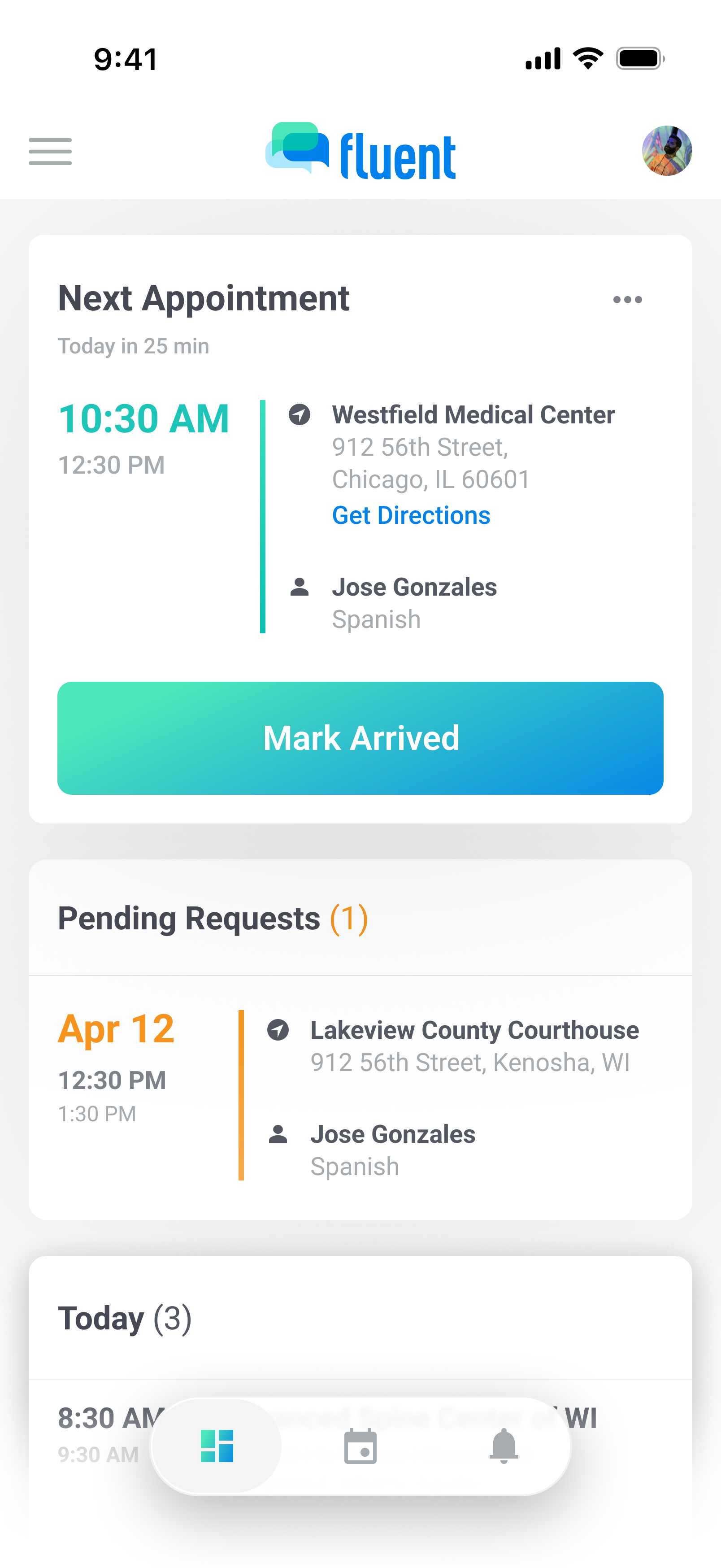
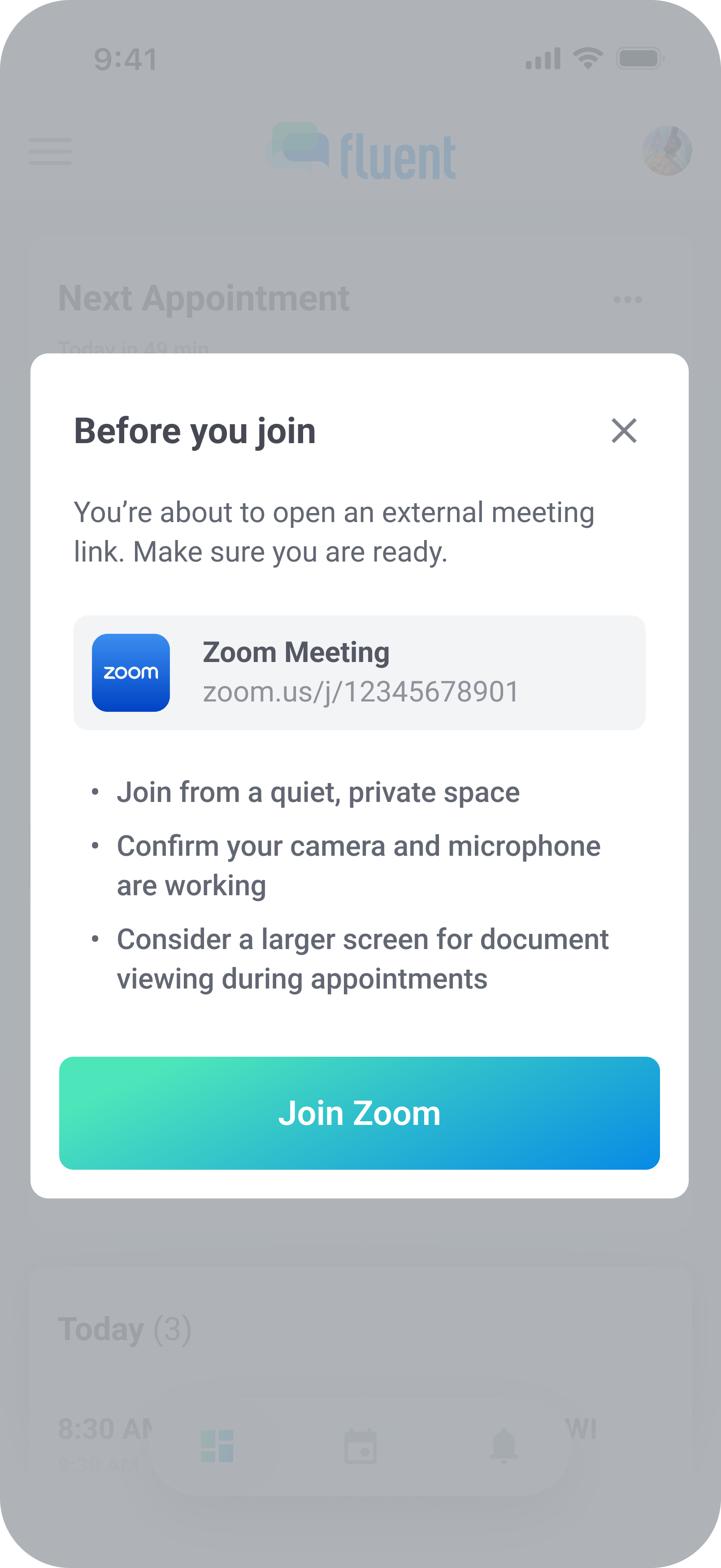
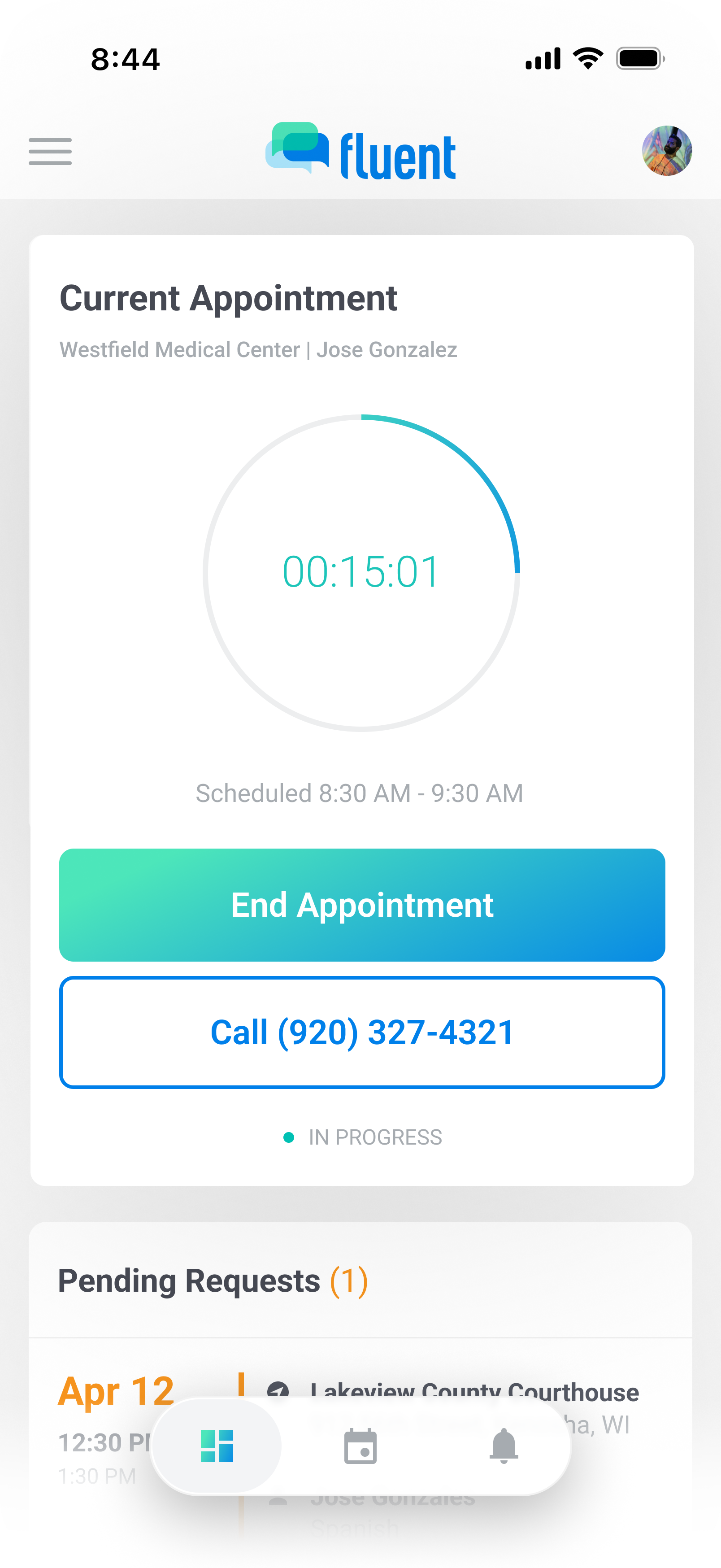
Support in-person, video, and phone appointments with the right actions, prompts, and timing flow for each.
Capture interpreting mode, dialect needs, and appointment-specific instructions so interpreters show up with the right context.
Give interpreters a mobile workflow for check-in, timing, and voucher completion that adapts to each appointment type.
Fluent gives you appointment history, permissions, and access controls designed for real scheduling operations.
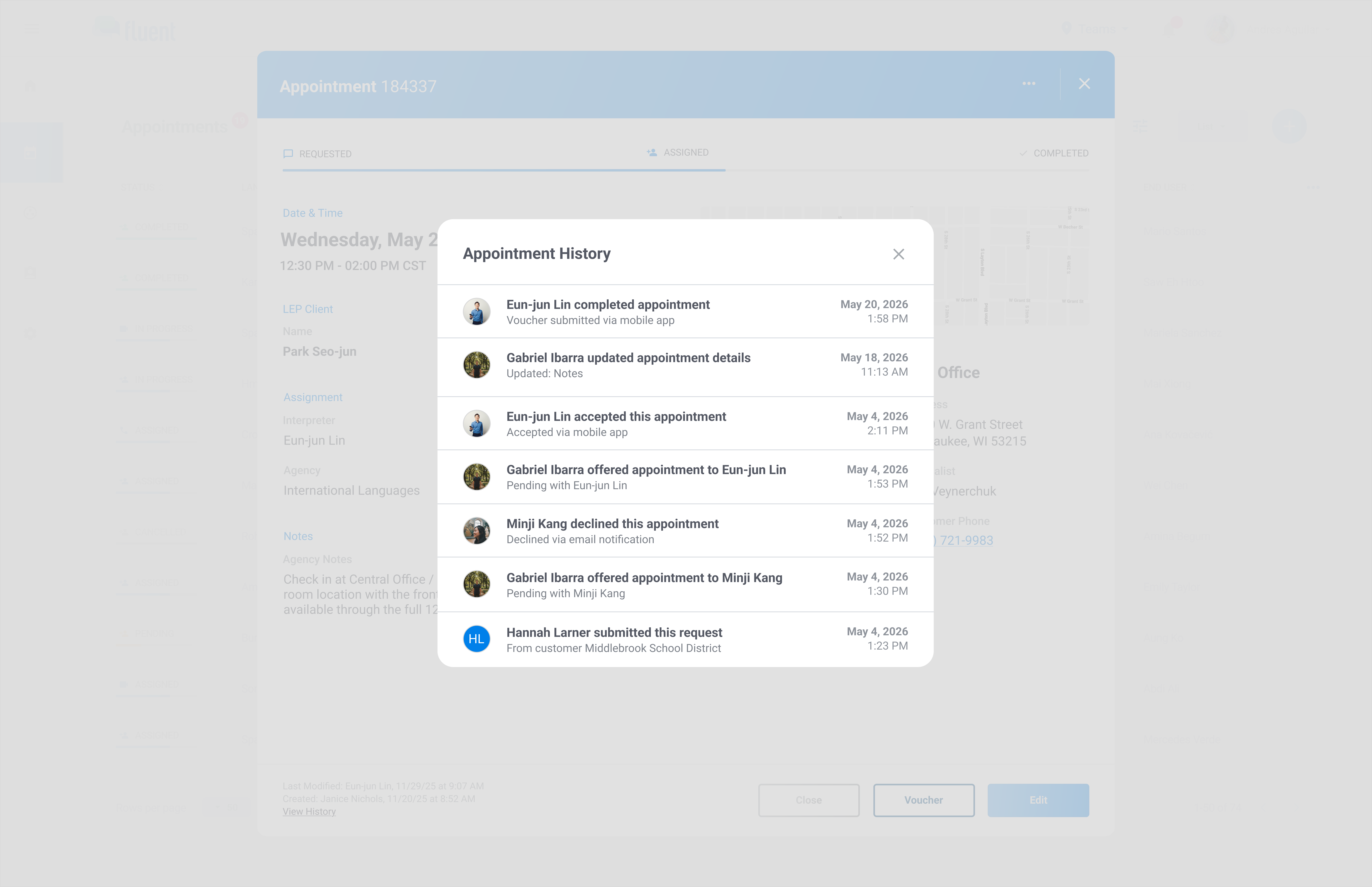
See a clear timeline of who created, updated, assigned, accepted, declined, canceled, or completed each appointment.
Control access by role, team, or office so people only see the schedules and details relevant to their work.
Assign schedulers, managers, and admins to teams so they only see the appointments relevant to them.
We'll walk you through your workflow and show what automation looks like with real operations data.