
What's new
New features in the Fluent web app and mobile app, newest first, with a link to the article for each one.
For everyone at an agency Web app and mobile app 2 min read
Last updated October 20, 2026
October 20, 2026
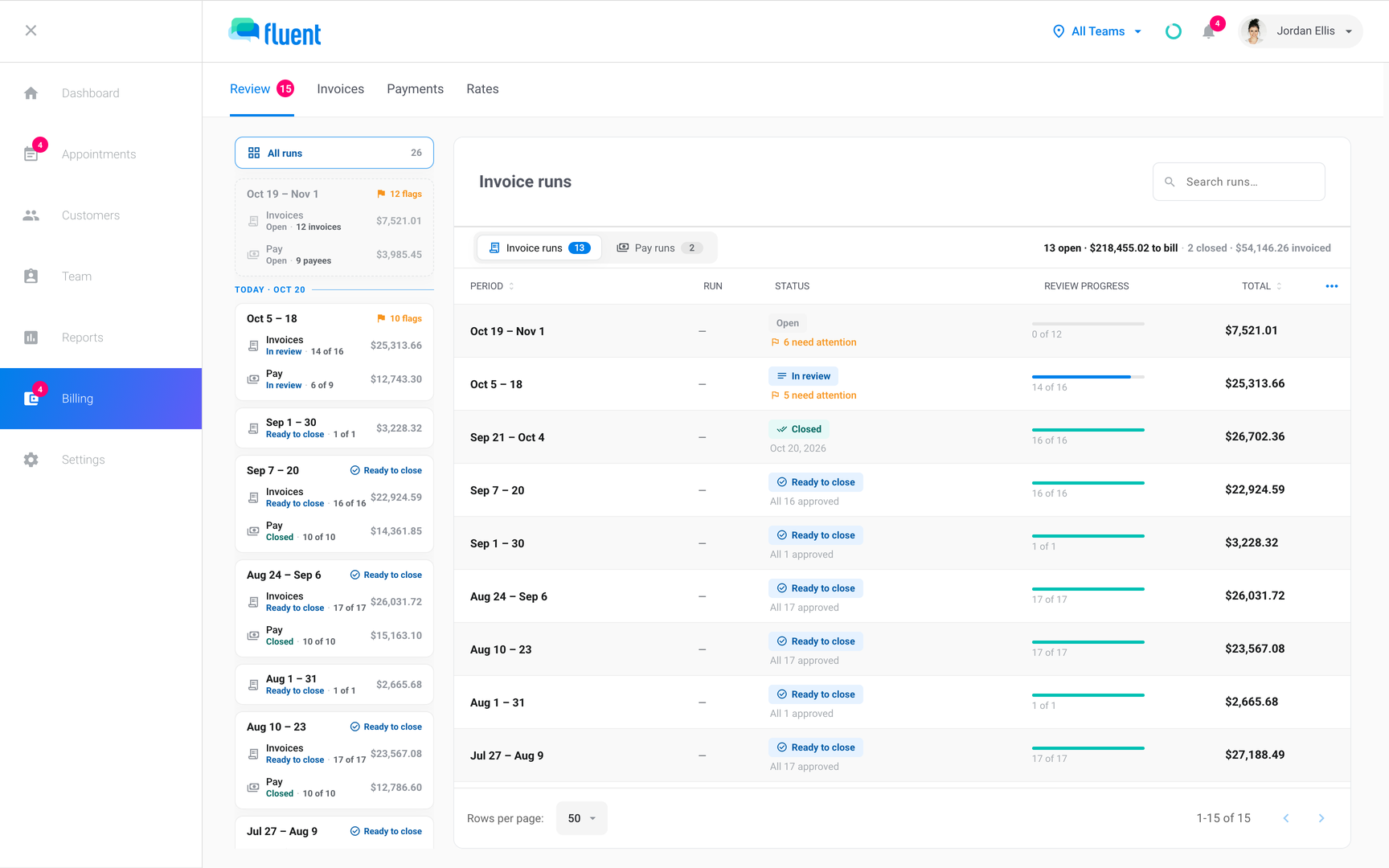
Agencies can now bill customers and pay interpreters in Fluent, and comment on appointments with their interpreters and customers.
Web app
- Agency Owners and Admins can now invoice customers from Billing. Rate cards set the prices, and Fluent drafts an invoice run for each billing period, which you review, approve, and close. See How invoicing works.
- Agency Owners and Admins can now pay interpreters through a pay run for each pay period. Interpreters see their own pay statements on their profile in the web app. See Pay runs overview and Your payment statements.
- Agency Owners and Admins can now connect QuickBooks and send it closed invoice runs as invoices and closed pay runs as bills. See QuickBooks.
- Agency team members, interpreters, and organizations can now comment on an appointment. Each comment goes to one audience, and only that audience can read it. See Appointment comments.
- Agency team members can now see which interpreters have confirmed today's appointments, from the Same-Day Confirmations ring at the top of the web app. See Same-day confirmations.
- Agency Owners and Admins now have a Get started checklist in the sidebar, and each setup step checks itself off when it's done. See Set up your agency.
Mobile app
- Interpreters can now read and post comments on their appointments. The Comments tab lists each appointment with comments from the last 30 days. See Appointment comments.
- Interpreters can now confirm today's appointments on the Daily Confirmation screen, or from the Daily Appointment Summary email Fluent sends on the day. See Confirm today's appointments.
April 15, 2026
Agencies can now plan appointments around the hours each interpreter works.
Web app
- Agency team members can now see an interpreter's weekly availability on the Availability card of the interpreter's profile. Partner agency interpreters don't have this card. See Manage interpreter availability and time off.
March 29 to April 1, 2026
Reports and the calendar now filter with one click, and interpreters can check in to Video and Phone appointments.
Web app
- Anyone who can see Reports can now filter the Services tab by clicking an item in a chart's legend. See Reports overview.
- The Day, Week, and Month views of the Appointments page now show your top customers, languages, and interpreters beside the calendar. Click a name to filter the calendar by it. An organization sees its top agencies instead of customers. See The Appointments page.
- Agency team members can now see who hasn't accepted their invite: Team › Team Members lists them with the Invited status. See Managing team members.
Mobile app
- Interpreters can now tap Check In on Video and Phone appointments in the mobile app. See Check in and track time.