
Interpreter notifications
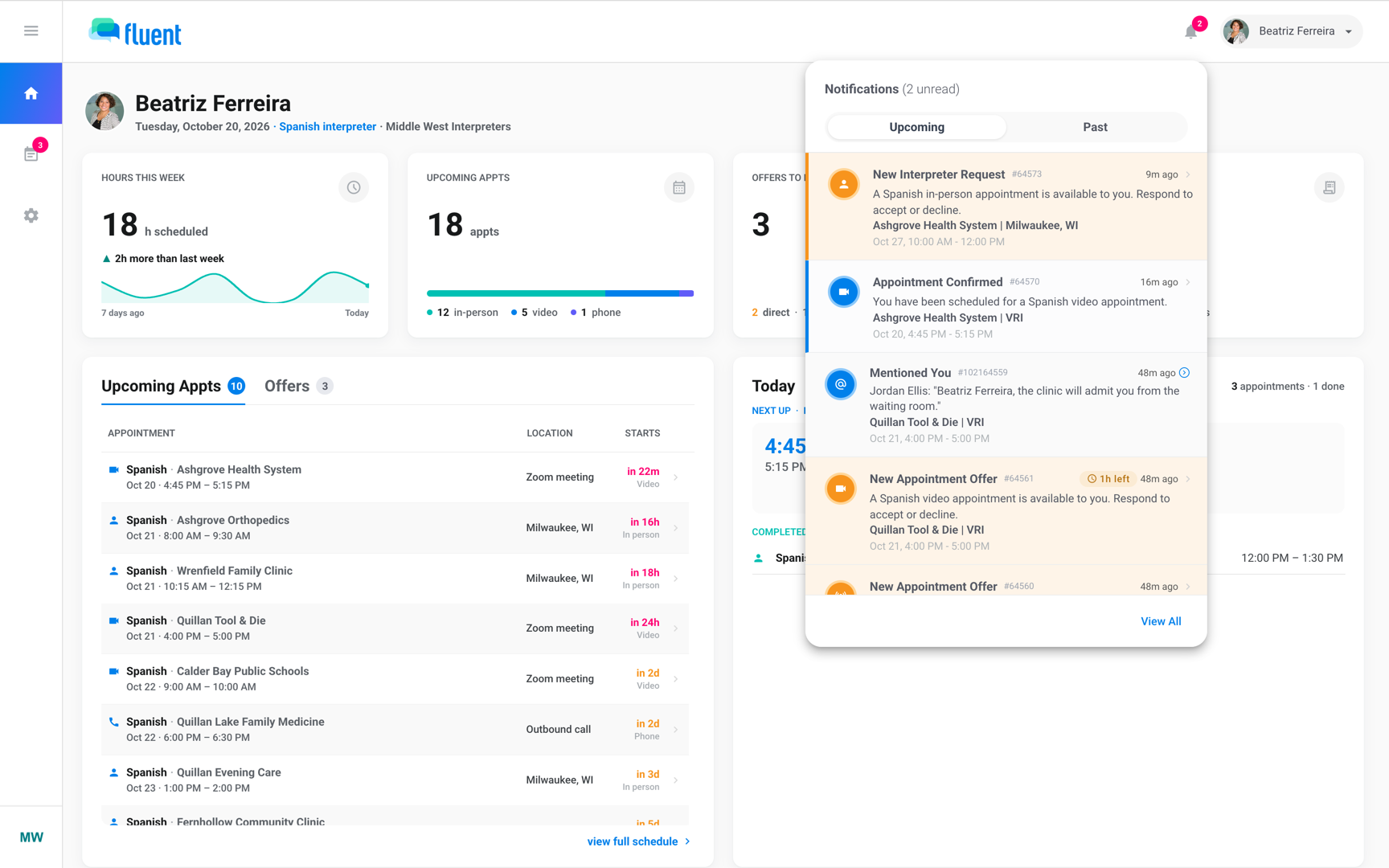
Every push, email, and bell notification Fluent sends you as an interpreter, when each one goes out, and what each email is headed.
What you'll learn
- What each notice about your offers, appointments, comments, and pay means, and when it reaches you.
Offers
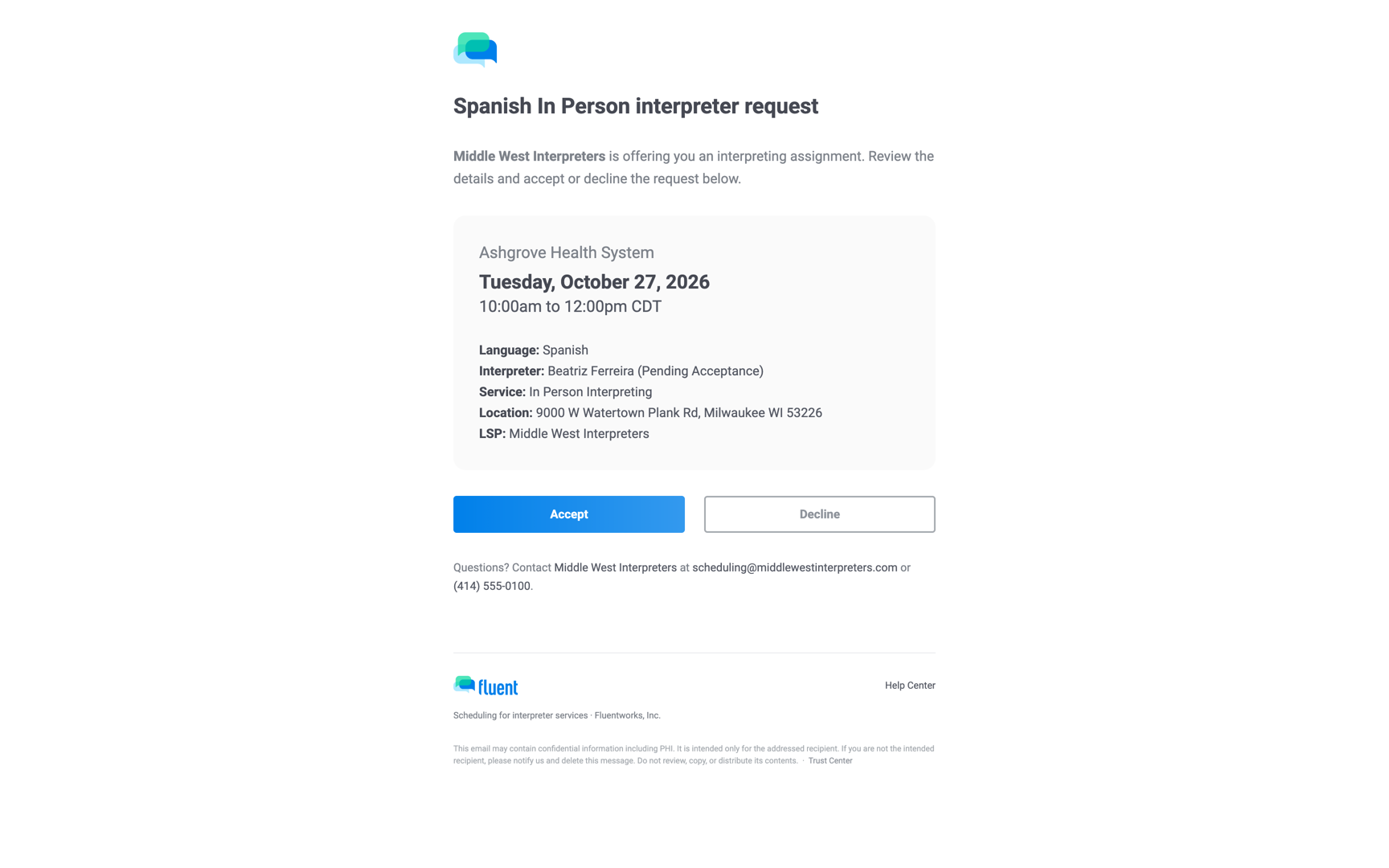
In the tables below, the Notification column is the title on your phone and in the bell, and the Email heading column is the first line inside the email.
An offer is an appointment your agency wants you to take. Fluent sends it the moment your agency offers it to you with Assign, or when Auto-assign or Broadcast reaches you. See Accept or decline interpreter requests.
| Notification | When you get it | Push | Email heading | Bell |
|---|---|---|---|---|
| New Interpreter Request | Your agency offered it to you with Assign | Yes | "{Language} {Service} interpreter request" | Yes |
| New Appointment Offer | Auto-assign reached you in its order | Yes | "New: {Language} {Service} interpreter request" | Yes |
| New Appointment Offer | Your agency broadcast it to several interpreters | Yes | "Broadcast: {Language} {Service} interpreter request" | Yes |
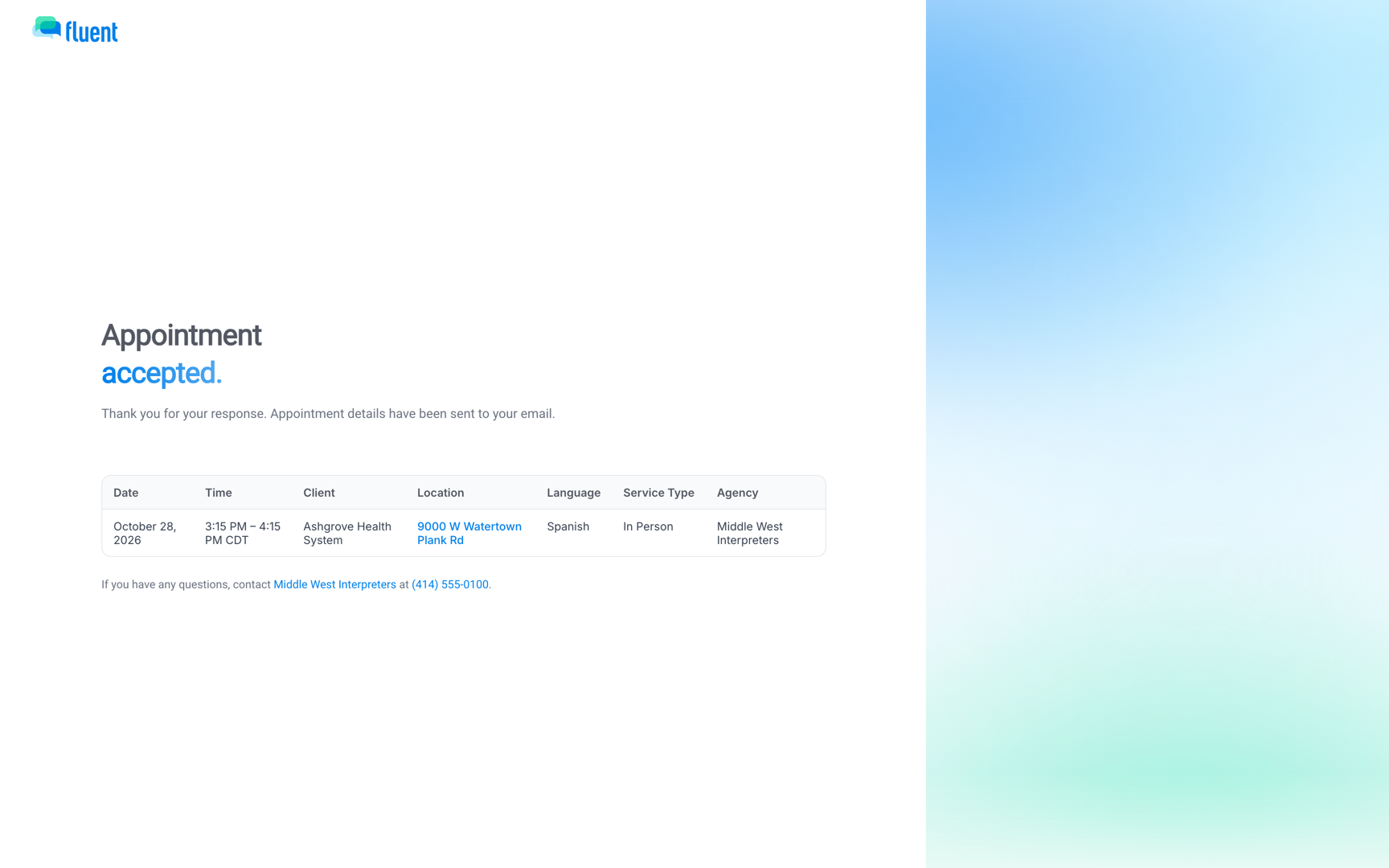
- Accept and Decline in an offer email: work without signing in. The page that opens reads "Appointment accepted." or "Appointment declined.".
- An offer already taken or closed: the page reads "This appointment is covered."
- A push: has no buttons. What a tap opens is in Notifications on mobile.
Important: An Auto-assign offer gives you 2 hours to answer. The web bell shows the time left, such as "2h left" or "45m left", but the mobile app doesn't.
Offer reminders and expiry
If you don't answer, Fluent reminds you once per offer.
| Notification | When you get it | Push | Email heading | Bell |
|---|---|---|---|---|
| Offer waiting for your answer | Assign offer unanswered after 2 hours | Yes | None | Yes |
| Offer still open | Broadcast offer unanswered after 2 hours | Yes | "{Language} {Service} interpreter request is still available" | Yes |
| Offer still available | Auto-assign offer half over, 1 hour left | Yes | "Reminder: {Language} {Service} interpreter request is waiting for your response" | Yes |
| Offer expiring soon | Auto-assign offer has 30 minutes or less | Yes | "Your {Language} {Service} interpreter request offer is closing soon" | Yes |
- Your 2 hours on an Auto-assign offer pass: the offer moves to the next interpreter in line. You get the email "Unavailable: {Language} {Service} interpreter request", with no push and no bell row.
- You were last in line: the offer ends with no notice to you.
When an offer is answered or closes
Once you answer, or the offer closes another way, the offer row leaves your list and one of these replaces it.
| Notification | When you get it | Push | Email heading | Bell |
|---|---|---|---|---|
| Appointment Confirmed | You accepted, or your agency assigned you without an offer | Yes | "Assigned: {Language} {Service} appointment", only when you accepted | Yes |
| Appointment Assigned | Your agency accepted the offer for you | Yes | "Assigned: {Language} {Service} appointment" | Yes |
| Appointment Declined | You declined | Yes | "Declined: {Language} {Service} interpreter request" | Yes |
| Appointment Unavailable | Another interpreter took it, or your agency closed the offer | Yes | "Appointment no longer available: {Language} {Service} request" | Yes |
| Appointment Unavailable | Your Assign offer went to someone else | Yes | None | Yes |
After Appointment Declined or Appointment Unavailable, the appointment's details are no longer open to you.
Changes to your appointment
After you're assigned, Fluent tells you when the appointment moves, when you're taken off it, and when it's canceled or missed.
| Notification | When you get it | Push | Email heading | Bell |
|---|---|---|---|---|
| Appointment Time Changed | Start or end time changed | Yes | None | Yes |
| Appointment Unassigned | Your agency took you off it after you accepted | Yes | "You have been unassigned from a {Language} {Service} appointment" | Yes |
| Appointment Canceled | Canceled after you accepted | Yes | "Canceled: {Language} {Service} appointment" | Yes |
| Appointment Canceled | Canceled while your offer was open | Yes | "Canceled: {Language} {Service} interpreter request" | Yes |
| Appointment Canceled Late | Moved to Late Cancel | Yes | "Late Cancel: {Language} {Service} appointment" | Yes |
| Missed Appointment | Your agency set it to Missed | Yes | "You missed a confirmed appointment" | Yes |
- Appointment Time Changed: names the appointment number and its new date and times. You get it while your offer is still open too.
- Other details, such as the address: changing them doesn't notify you.
- The Late Cancel email: adds "Due to this appointment being canceled on short notice, you will still receive compensation."
On the day of the appointment
On the day, Fluent asks you to confirm, reminds you to check in, and reminds you about your voucher.
| Notification | When you get it | Push | Email heading | Bell |
|---|---|---|---|---|
| Confirm Today's Appointments | Morning of a day with accepted appointments | Yes | "Daily Appointment Summary", subject "Your Appointments for {date}" | No |
| Appointment starting soon | 5 minutes before In-person, 10 before Phone or Video | Yes | "Your in-person appointment starts in 5 minutes", "Your phone appointment starts in 10 minutes", or "Your video appointment starts in 10 minutes" | Yes |
| Complete your voucher | 30 minutes after the end, voucher not submitted | Yes | "Submit your voucher" | Yes |
| Appointment Completed | Your voucher was submitted | Yes | None | Past tab only |
Fluent asks by 7:00 AM Central, or earlier when your first appointment starts before 9:00 AM Central. The daily email lists the appointments you have accepted and has a Confirm Appointments button. See Confirm today's appointments.
- Appointment starting soon: skips an In-person appointment you already marked arrived, and a Phone or Video appointment you already checked in to. See Check in and track time.
- Complete your voucher: sent once per appointment. See Submit a voucher.
- Appointment Completed: never counts as unread, and the web bell shows it under Past.
Summaries and availability
Two notices arrive on a schedule, and your agency can ask you to review your availability at any time.
| Notification | When you get it | Push | Email heading | Bell |
|---|---|---|---|---|
| Weekly Appointment Summary | Sundays, when you have appointments coming up | No | "Weekly Appointment Summary", subject "Your Next {n} Interpreting Appointments" | No |
| Review your availability | The 1st of each month, or on request | Yes | "Review your availability", or "Set your availability" with nothing on file | Yes |
- The weekly email: lists your next accepted appointments, up to 10, whatever their dates.
- The monthly availability notice: goes to every active interpreter on the 1st of each month.
- An availability request from your agency: your agency can send it at any time by clicking Ask {name} to update on your profile. The notice then reads "{Scheduler} at {agency} is asking you to confirm or update your availability."
- The availability email: its subject is "Review your availability for interpreting assignments", with the buttons Edit availability in Fluent and My availability is the same. With no weekly availability on file, the button is Set availability in Fluent.
See Set your availability and time off.
Comments
Your agency can write to you on an appointment's Comments thread, and you can reply. Fluent notifies you about comments on appointments you're assigned to, and you can't read an appointment's comments until you accept it.
| Notification | When you get it | Push | Email heading | Bell |
|---|---|---|---|---|
| New Comment | A comment to you on your appointment | Yes | Yes, with Read the comment | Yes |
| Mentioned You | A comment mentions you | Yes | Yes, with Read the comment | Yes |
- Push and email: never include the comment itself. The email's Read the comment button opens the thread.
- The web bell: the row opens the appointment at that comment.
Pay
When your agency pays a pay run, you get a summary of what it paid you. If a missing voucher is holding up an invoice, your agency can send you a reminder.
| Notification | When you get it | Push | Email heading | Bell |
|---|---|---|---|---|
| Your pay period summary | Your agency marked a pay run Paid | No | Subject starts "Your payment summary for" | No |
| Reminder: complete your voucher | Your agency sent a voucher reminder | No | "Complete your voucher" | No |
- View full statement: the pay summary's button opens the pay statement in the web app, under Profile › Earnings.
- Working through a partner agency: the summary goes to that agency's billing contact instead, as one summary for all its interpreters.
- The voucher reminder: your agency can send it at most once every 24 hours. With 2 or more vouchers outstanding, its subject is "Reminder: complete your vouchers".
Rules and limits
- Fluent has no notification settings.
- Tapping Sign Out in the mobile app stops push to that phone until you sign in again. When the app signs you out on its own, push keeps arriving. See Sign in to the mobile app.
- A deactivated account gets no notifications at all.
- Only appointments you have accepted (Assigned) get the daily summary, the weekly summary, and the day-of reminders.
- Every email about one appointment shares one subject, "{Day}, {Month} {D} · {Language} {Service} Interpreting Appointment (#{number})", so your mail app threads them.
- Appointment times in every notice are in the appointment's time zone.