
Billing rules
Every billing rule on a rate card, what it decides on invoices and pay, which rate cards carry it, and the values it takes.
What you'll learn
- How each billing rule on a rate card decides what an appointment bills or pays, from rounding to late cancels.
Which rate card carries which rule
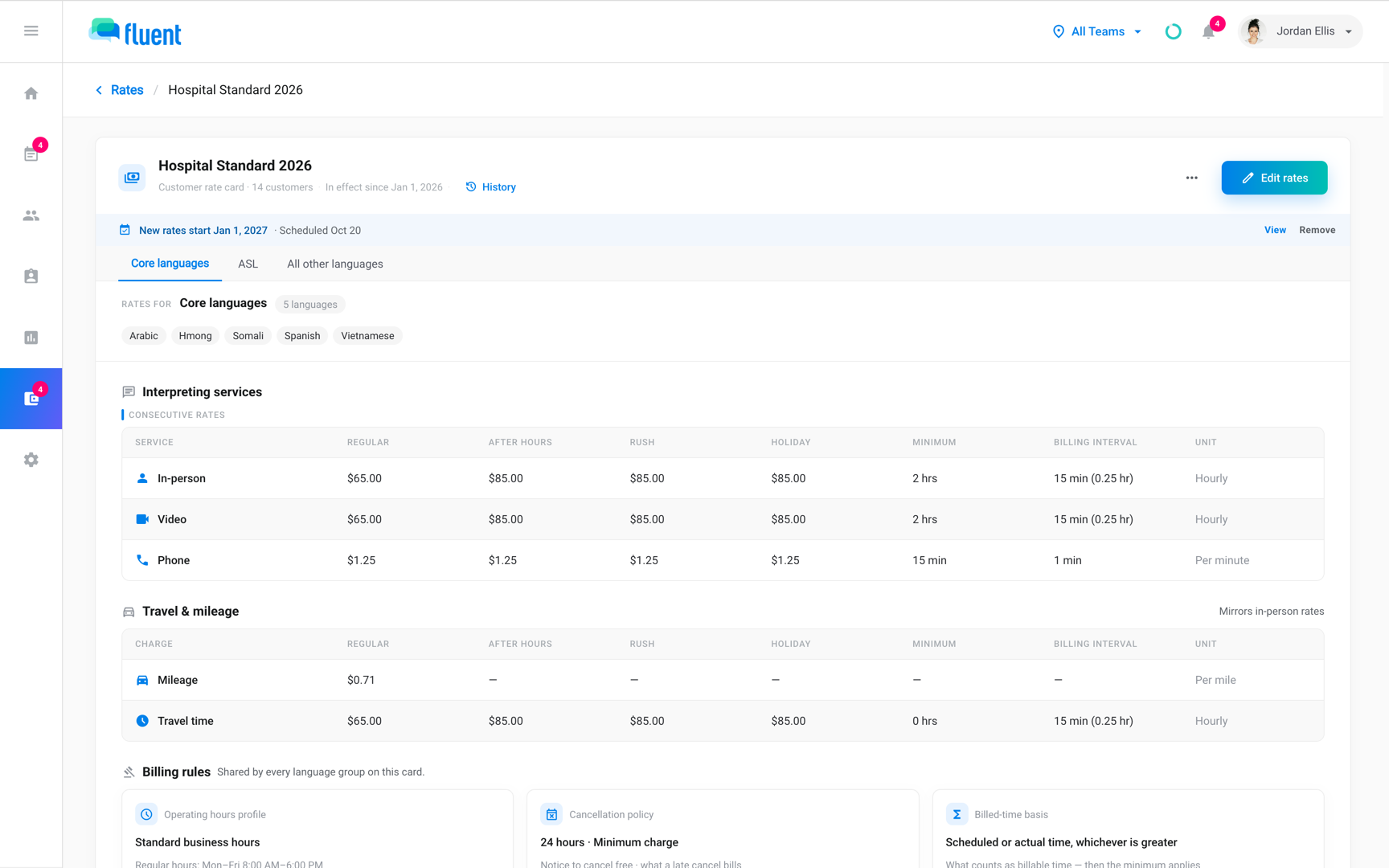
Owners and Admins set billing rules in the Billing rules section of the rate editor, from Billing › Rates. One set covers every language group or language pair on the rate card.
Customer rate cards carry every rule. Interpreter and partner rate cards carry fewer, and price pay with their own.
| Rule | What it decides | Customer | Interpreter | Partner |
|---|---|---|---|---|
| Operating hours | When the After hours rate applies | Yes | Yes | Yes |
| Cancellation policy | When a cancel is late, and its charge | Yes | Charge only | Yes, notice you owe the partner |
| Billed time | Which time bills before the Minimum | Yes | Yes, as Paid time | Yes |
| Rush lead time | How close to the start a booking is rush | Yes | Yes | Yes |
| Merge gap | When same-day appointments bill as one visit | Yes | No, the customer's gap applies | No |
| Rounding | How a partly used billing interval bills | Yes | Yes | Yes |
| Invoice terms | Days from the invoice date to its due date | Yes | No | No |
Minimum and billing interval
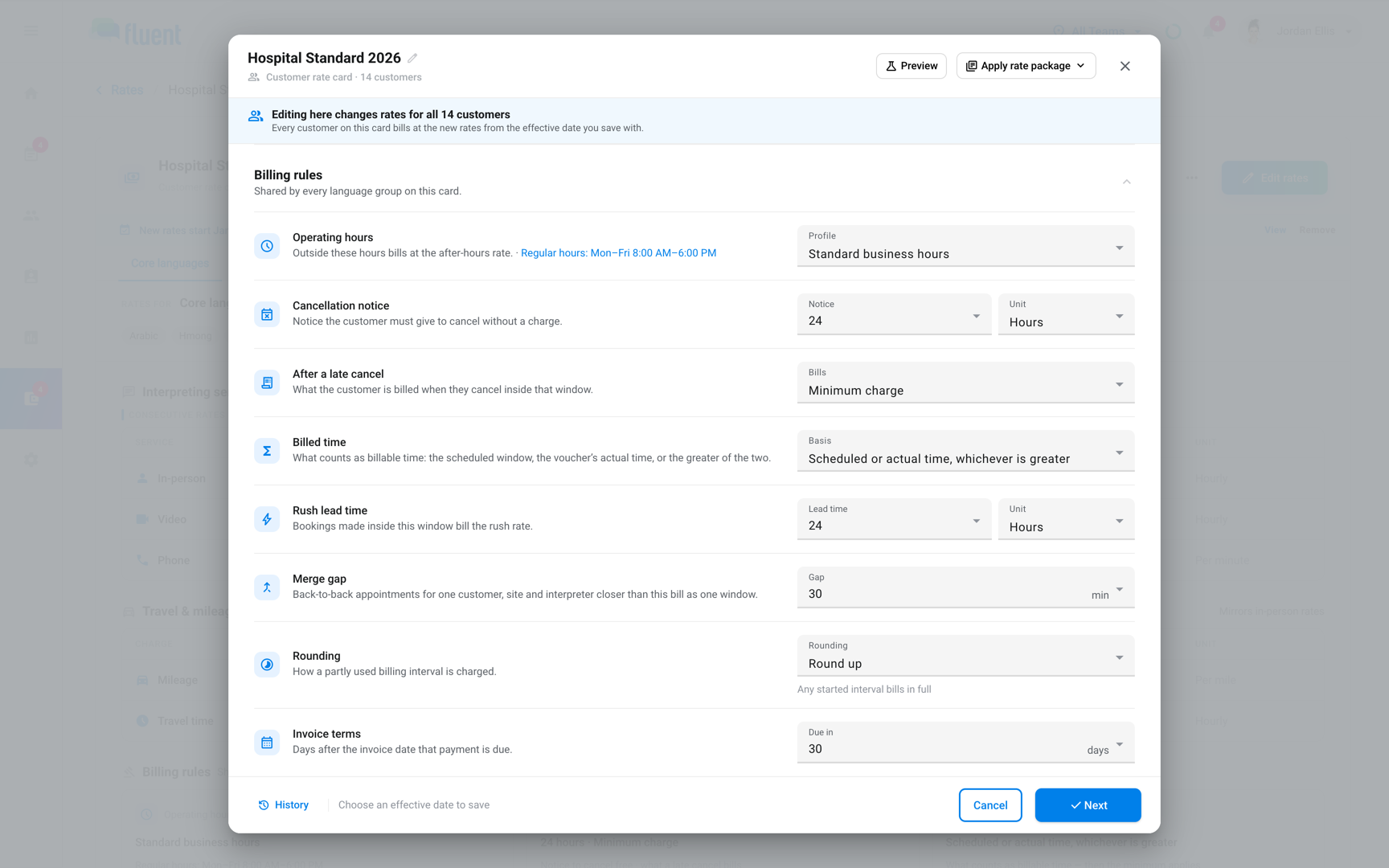
Each service row sets 2 numbers that the billing rules work with.
- Minimum: The shortest time the service bills or pays. 0 means no minimum.
- Billing interval: The step billed time rounds to. 0 means exact minutes.
Each row uses its own unit, hours or minutes, and its Minimum must be 0 or a multiple of its Billing interval. Travel time has its own Minimum and Billing interval.
Operating hours
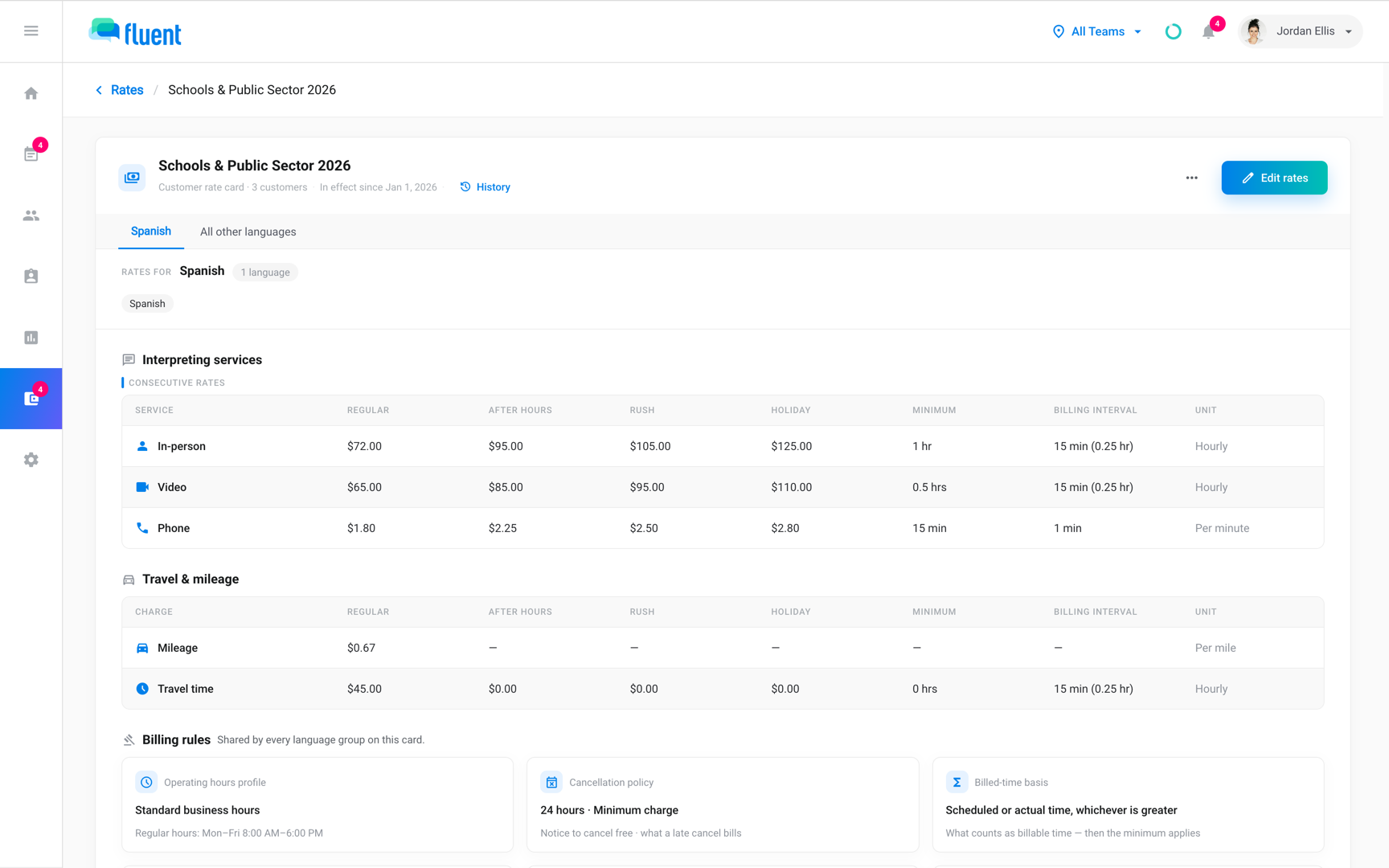
Operating hours set which minutes of an appointment bill at the Regular rate and which at the After hours rate.
Select a profile from Settings › Operating hours in Profile.
- Outside the profile's regular hours: minutes bill at the After hours rate.
- Dates on the holiday calendar: bill at the Holiday rate.
- No profile, or a deleted profile: the rate card prices nothing, and Billing › Rates marks it Hours missing. See Operating hours.
Cancellation policy
The cancellation policy decides when a cancel is too late, and what a late cancel costs.
The cancellation window is the notice a customer must give. Enter it in Notice, with a Unit of Hours, Calendar days, or Business days.
- The organization cancels its request: Fluent applies the window.
- Someone at your agency cancels: they pick Canceled or Late Cancel. See Cancel an appointment.
The late cancel charge is what a Late Cancel bills, in Bills in the After a late cancel row. An interpreter rate card has only this part, and sets what a Late Cancel pays in Pays.
Bills and Pays offer the same 2 options:
- Minimum charge: A Late Cancel bills, or pays, the service's Minimum.
- Use billed-time basis: A Late Cancel bills, or pays, like a Complete appointment, from the Billed time rule with its Minimum applied.
A Late Cancel on a rush booking keeps its Rush rate on both sides. If a service that's on has no Minimum, the editor warns that a late cancel bills $0 for it.
Billed time
Billed time is the time Fluent counts for an appointment, before the Minimum applies. Select it in Basis, called Paid time on interpreter rate cards.
- Scheduled or actual time, whichever is greater: Fluent counts the longer of the scheduled window and the voucher's time.
- Actual time, with minimum: Fluent counts the voucher's time.
There's no scheduled-only option. An appointment without a voucher bills from its scheduled window under either option, and carries the Missing voucher flag in Billing › Review.
Rush lead time
Rush lead time sets how close to the start a booking can come in before it bills the Rush rate. It shows only while a language group on the rate card prices Rush.
Enter it in Lead time with a Unit of Hours, Calendar days, or Business days. Business days skip weekends and the holiday calendar.
- Invoice: an appointment is rush when it was entered less than the lead time before its start. One entered after its start is never rush.
- Pay: Fluent measures the interpreter rate card's lead time from the offer sent to the interpreter. An offer sent after the start pays rush only once a reviewer approves it in Billing › Review.
Merge gap
The merge gap bills same-day appointments that run close together as one visit, with one Minimum.
Enter the Gap in minutes. Appointments merge when they share a day, a customer, an address, and an interpreter, and the gap between them is the Merge gap or less.
- Chains: a chain merges even when its first and last appointments are further apart.
- Gap of 0: merges only appointments that touch or overlap.
- Canceled and Late Cancel appointments: never merge.
A merged visit bills one window from the first start to the last end, with the Minimum applied once and the largest mileage counted once. The first appointment carries the lines, and the others bill $0.
To split a merged visit, click Review visits in Billing › Review.
Rounding
Rounding decides how time that runs part way into a Billing interval bills. Fluent rounds once, on the whole billed time, after the Minimum applies.
| Option | What happens |
|---|---|
| Round up | Any started interval bills in full |
| Round to nearest | Overruns under half an interval don't bill |
| Round down | Only full intervals bill |
| Interval qualifier | A started interval bills once it's Qualifier minutes in |
The Qualifier is a whole number of minutes, at least 1 and smaller than the smallest Billing interval on the rate card, travel time included. A service with a Billing interval of 0 bills exact minutes and never rounds.
Invoice terms
Invoice terms set when a customer's invoice is due.
Enter Due in as a number of days. The due date is the invoice date plus the terms.
- Rate card page: shows the terms as Net 30 and so on, and 0 as Due on receipt.
- Blank terms: use Default customer invoice terms from Settings › Agency defaults, which accept 0 to 3,650 days.
Important: With neither set, Fluent can't date the customer's invoice and leaves it out of the run.
Worked example
Fluent applies the rules in this order: Billed time, the Minimum, then Rounding.
Take an In-person row at $60.00 per hour with a Minimum of 30 min and a Billing interval of 15 min. Billed time is Actual time, with minimum, and Rounding is Round down.
- A 22 min voucher: bills 30 min, $30.00, because the Minimum applies first.
- The same voucher with the Minimum at 0: rounds down to 15 min, $15.00.
To try your own numbers, click Preview in the editor header. It prices a sample appointment with the unsaved rates.
Rules and limits
- New customer and interpreter rate cards start with the rules in Settings › Agency defaults, copied once. Partner rate cards start blank.
- Changing a rule in Settings › Agency defaults changes no existing rate card. Blank there means the editor asks on each rate card.
- A rule change takes effect from the Effective from date you save with.
- Every threshold is a whole number of 0 or more.
- The editor doesn't save a rate card until every rule it carries is filled in.
Troubleshooting
"The rush lead time must be above 0 when a rush price is set"
A language group prices the Rush rate type and Lead time is 0. Enter a lead time above 0.
To stop charging rush, hide the Rush rate type with Edit rate types on every group instead.
"Enter a whole number of minutes (1 or more)"
Rounding is Interval qualifier and the Qualifier is blank or 0. Enter a whole number of minutes smaller than the smallest Billing interval on the rate card.