
Services overview
The service types and interpretation modes an appointment can have, and how they decide which interpreters your agency can offer it to.
What you'll learn
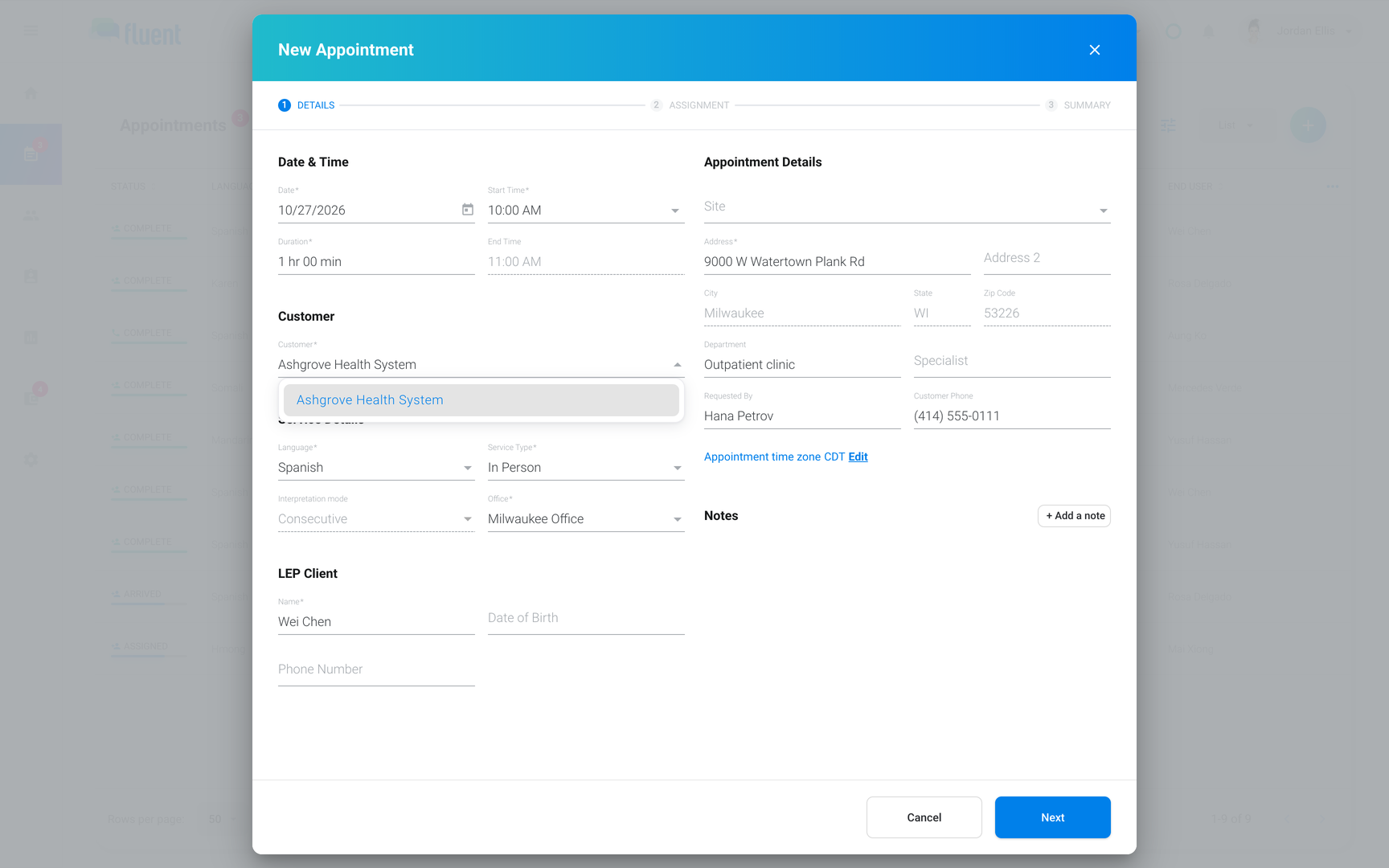
- What service type an appointment can have, and how it decides which interpreters your agency can offer it to.
Service types
The service type says how the interpreter joins the appointment. When you select it in Service Type on the Details step, the fields below it change to match.
| Service type | Where the interpreter works | What you fill in | Arrival shows as |
|---|---|---|---|
| In-person | At the appointment's address | Address | Arrived |
| Video | On a video call | Video URL | Checked In |
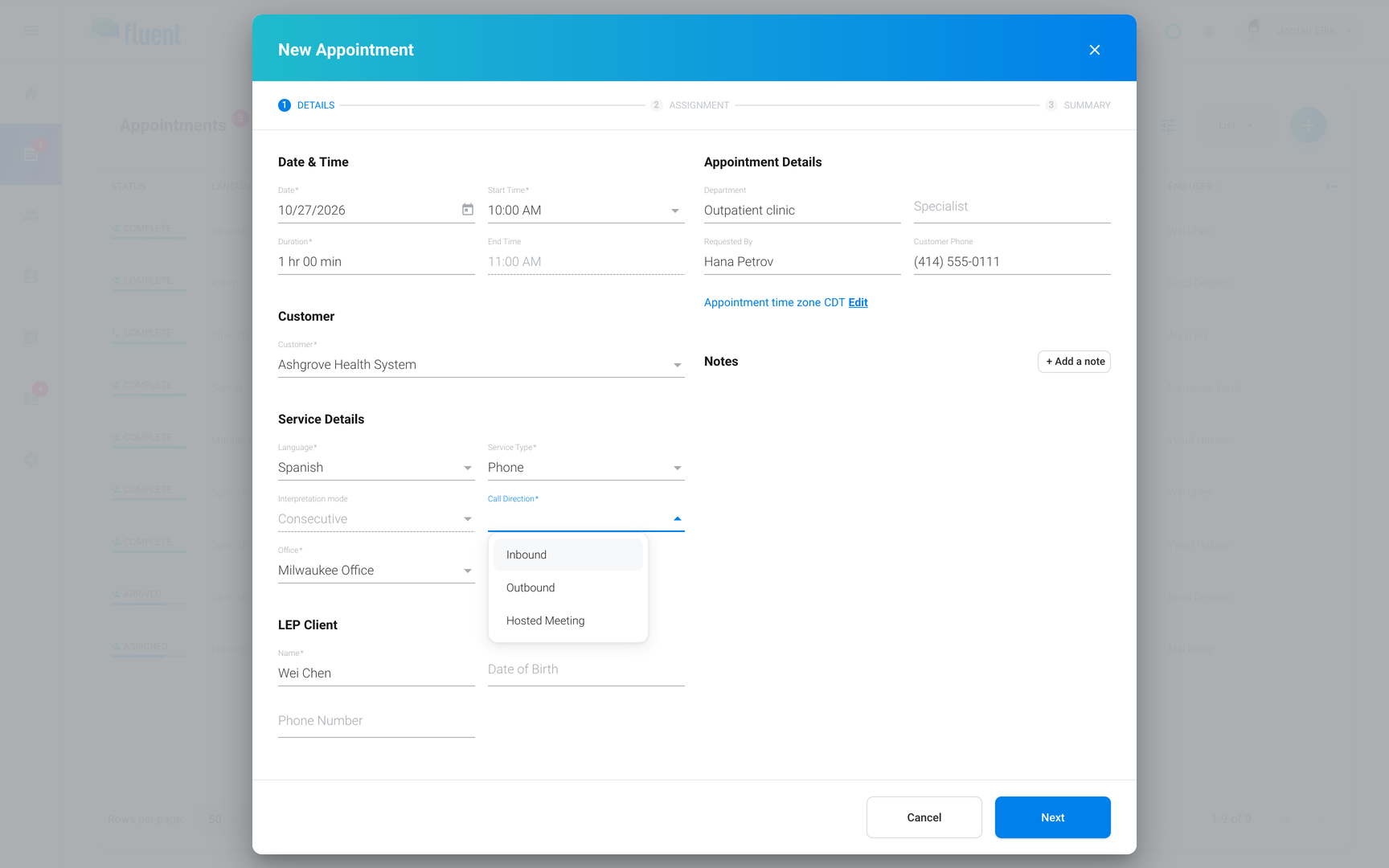
| Phone | On a phone call | Call Direction and its details | Checked In |
For Video and Phone, the link or the call details take the place of the address. See Video and phone appointments.
Interpretation mode
The interpretation mode says when the interpreter speaks. Fluent sets every appointment to Consecutive, and you can't change the Interpretation mode field on Details.
- Consecutive: The interpreter speaks after the speaker pauses. Every appointment uses it, so a rate card's Consecutive rates price it.
- Simultaneous: The interpreter speaks at the same time as the speaker. Rate cards can have Simultaneous rates, but no appointment uses them.
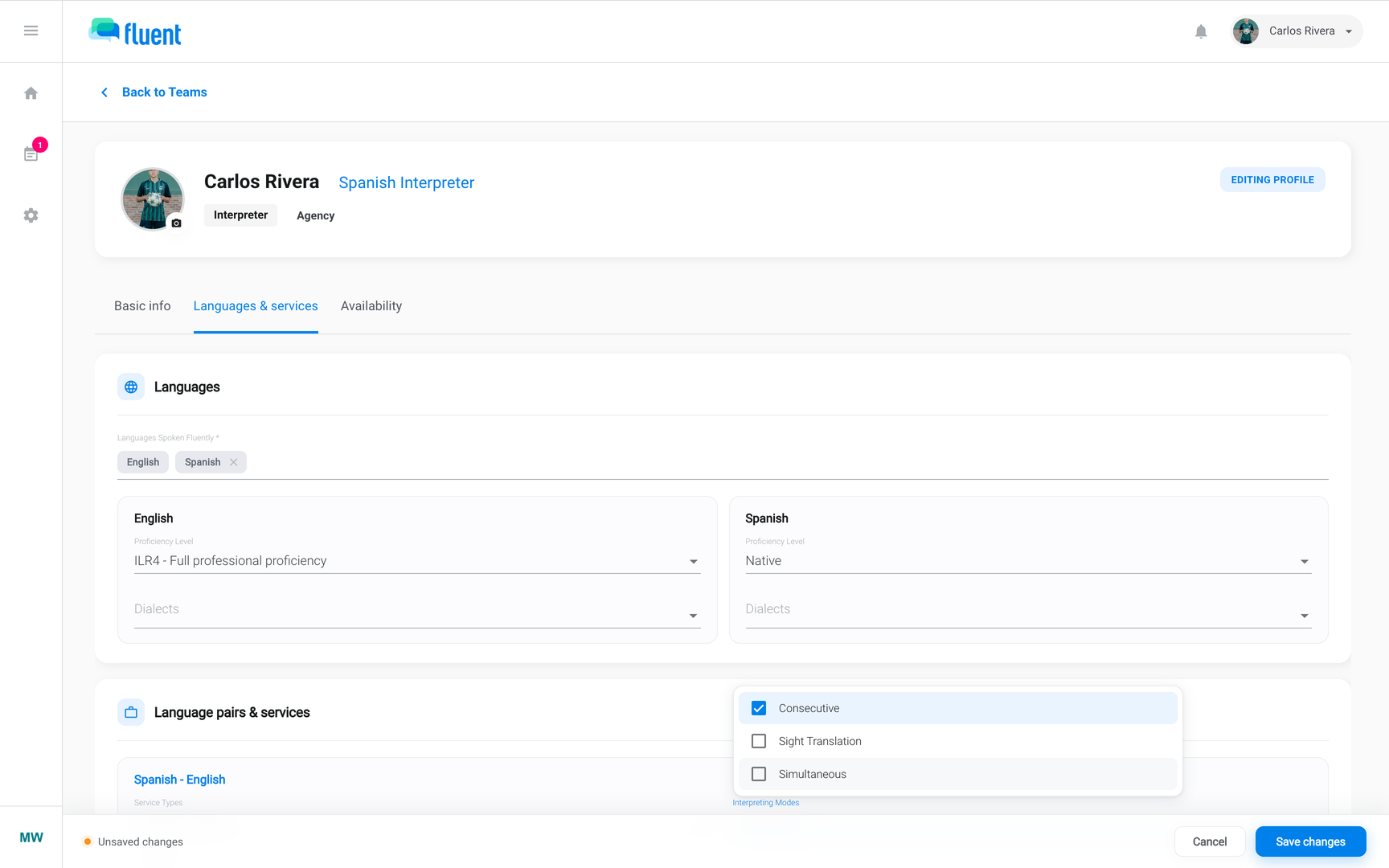
- Sight Translation: It's an option only in an interpreter profile's Interpreting Modes. No appointment can ask for it.
Who can be offered an appointment
When you assign an appointment, Fluent lists only the interpreters whose language pairs cover it. Each language on an interpreter's profile, other than English, makes a pair with English, such as Spanish - English.
A pair covers an appointment when it's for the appointment's language and, if it lists service types and interpretation modes, includes this appointment's. Eligibility and booking conflicts has the full rule, and Interpreter profiles says where to set a pair's fields.
| A Spanish - English pair that lists | For a Spanish In-person appointment |
|---|---|
| No service types or interpretation modes | Matches on the language |
| In-person and Consecutive | Matches |
| Video and Phone, with Consecutive | Doesn't match |
| In-person and Sight Translation only | Doesn't match once saved |
Important: A pair that lists service types and interpretation modes but not Consecutive, such as one with only Sight Translation, matches no saved appointment. To offer that interpreter work, add Consecutive to the pair's Interpreting Modes.
What the service type changes
After you book, the service type also changes how Fluent finds, prices, and reports the appointment.
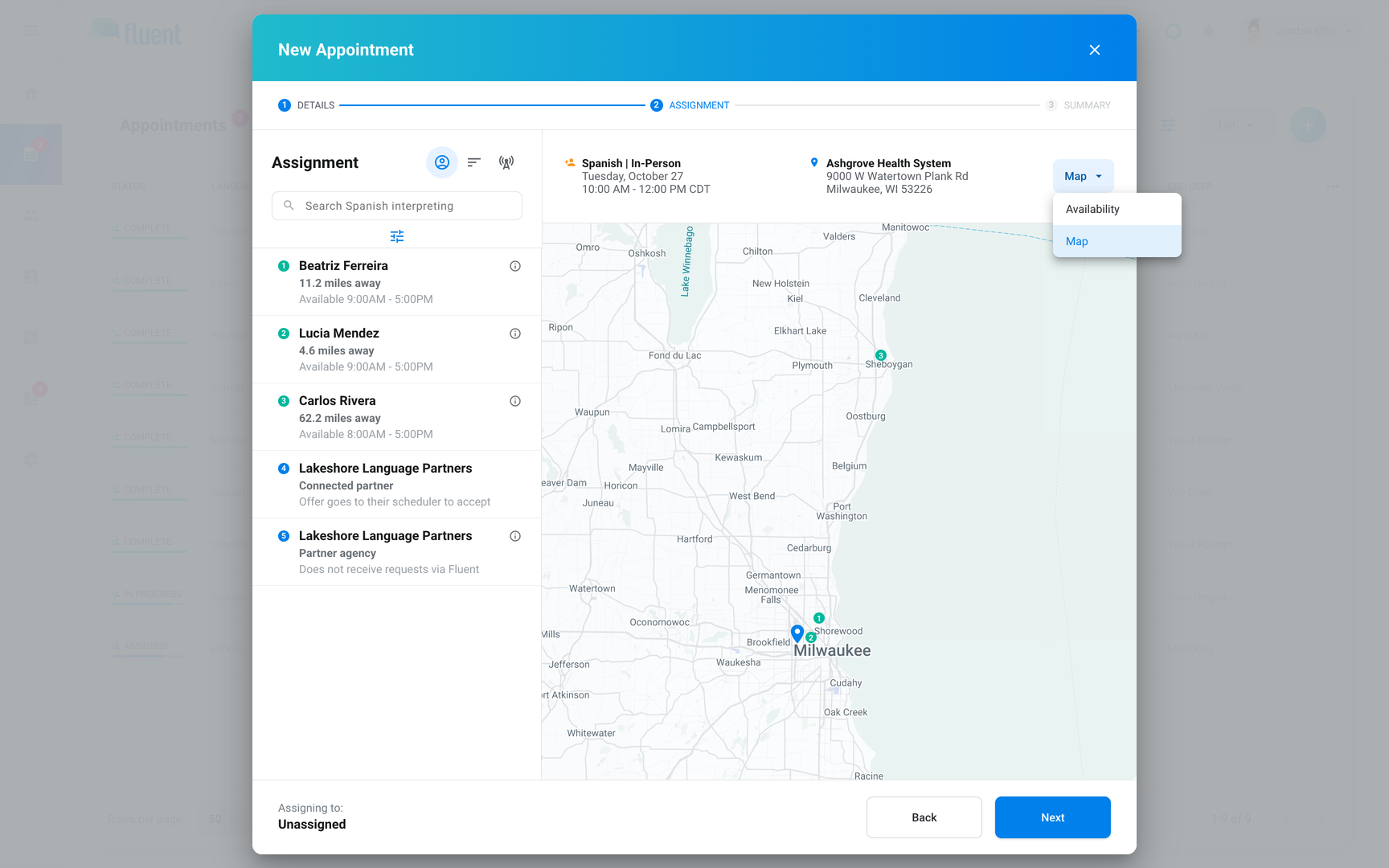
- Time zone: Fluent sets an In-person appointment's time zone from its address. See How time zones work in Fluent.
- Finding an interpreter: For an In-person appointment, the Assignment step has a map and shows each interpreter's distance, and ranking counts it. For Video and Phone, ranking leaves distance out. See How interpreter ranking works.
- Billing: Rate cards price In-person, Video, and Phone separately. Only In-person appointments bill and pay mileage and travel time. See How rate cards work.
- Reports: The Services report splits each interpreter's appointments by service type, and each team's when your agency has more than 1 team. See Reports overview.
What an appointment can't ask for
Some needs don't go on the appointment. You find the right interpreter another way, or book a second appointment.
- Certifications and specializations: Language pairs can list them, but they don't change who can be offered an appointment or how interpreters rank. To find these interpreters, go to Team › Interpreters and filter by Certification(s) or Specialization(s), or tag them and use the Filter by tags dialog on the Assignment step.
- A second interpreter: An appointment has 1 interpreter, so a session that needs 2 takes 2 appointments. Click Duplicate in the appointment's ⋯ menu to start the second from the first. See Create an appointment.