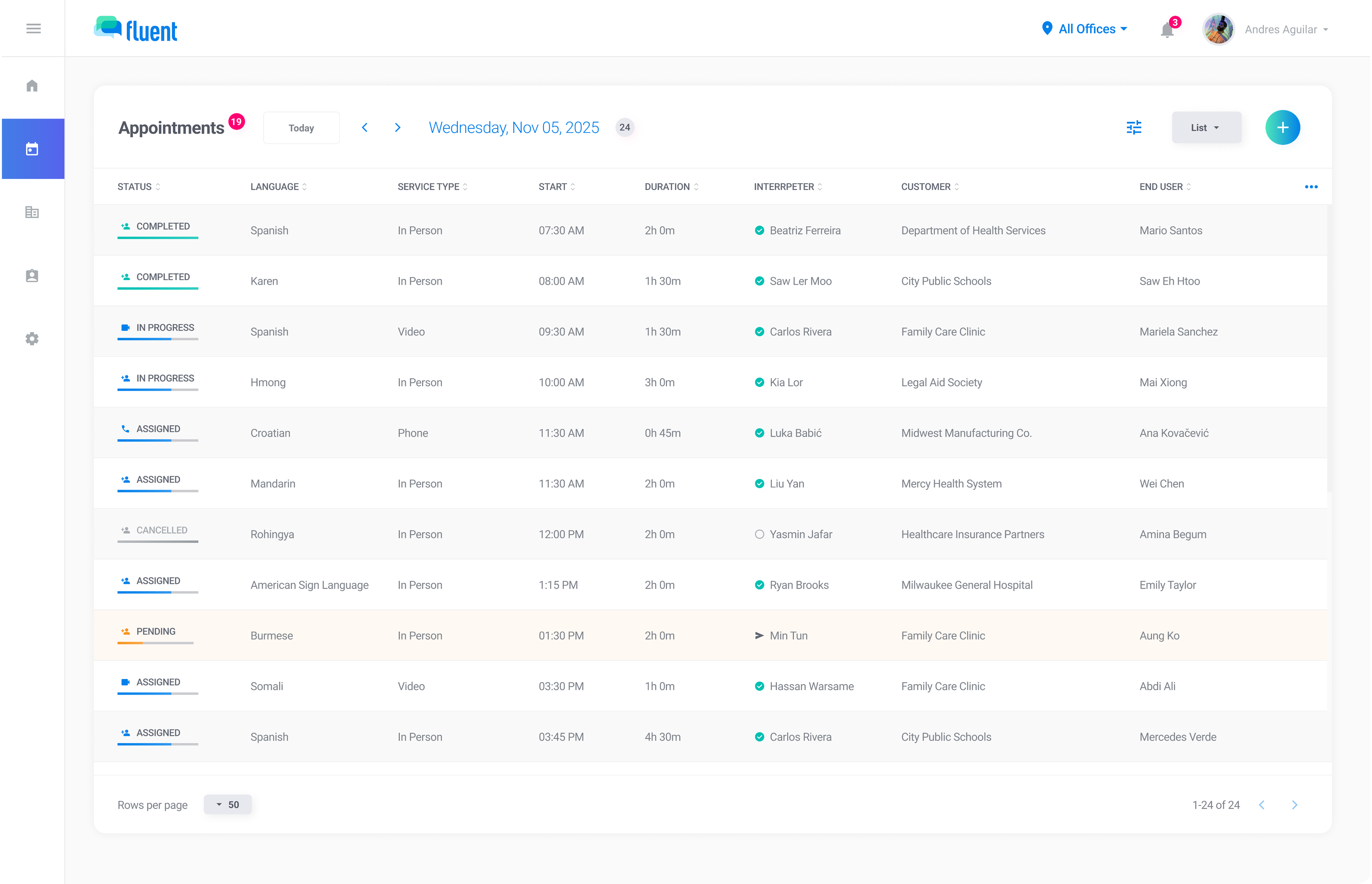
Key metrics in context
See totals, breakdowns, and trends across interpreter profiles, customer profiles, calendar views, and the reports page.

Track appointments, coverage, revenue and margin across any time range. Filter in seconds, click into any customer or interpreter, and export with confidence.
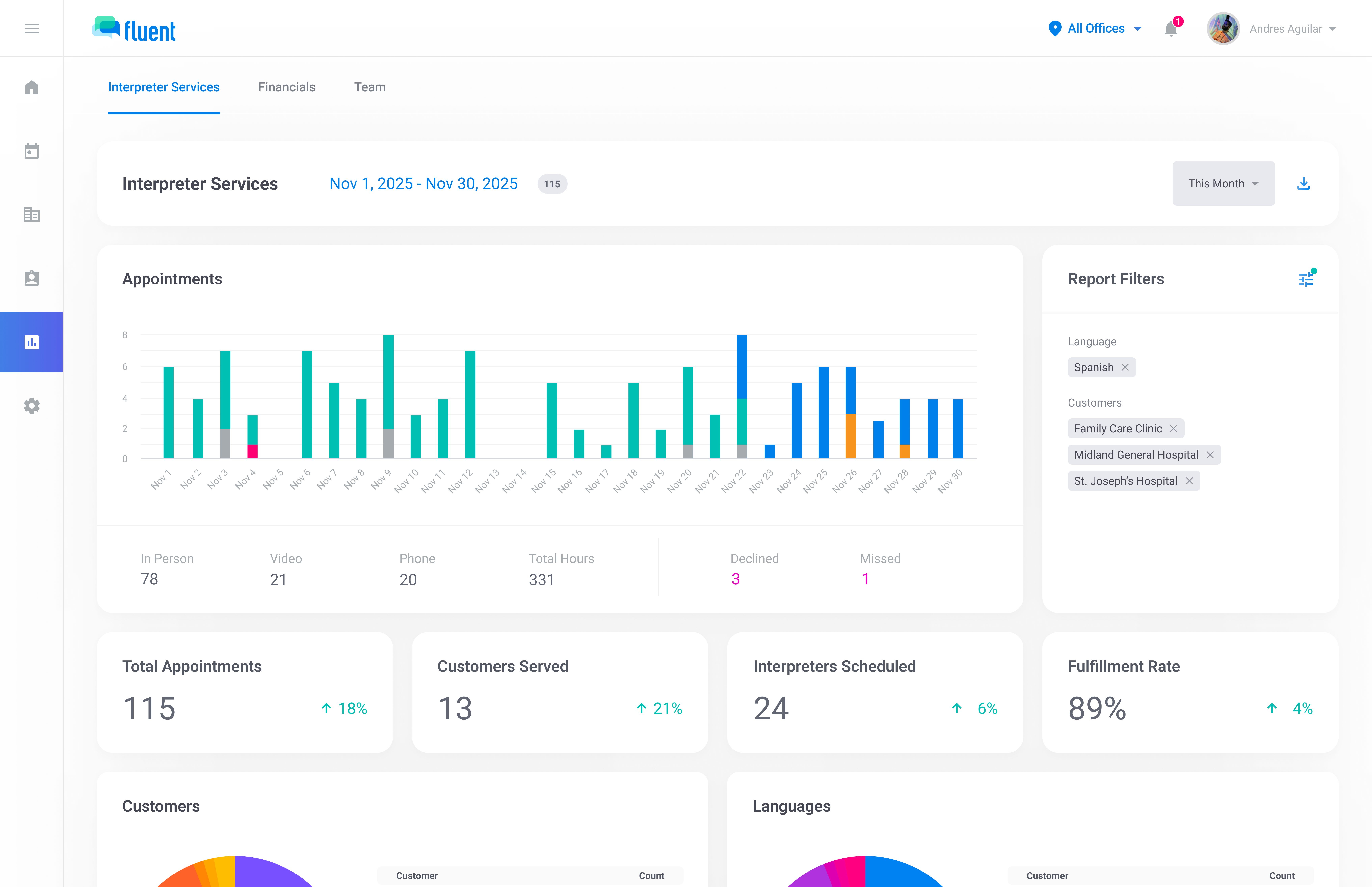
Track the metrics that matter across interpreter services — from performance trends to breakdowns by customer, language, and outcome.
Filter flexibly across the app and click into the numbers behind the trends to understand what's driving volume and patterns.
Export polished PDF reports or MFA-protected CSV files with the right controls in place for sensitive reporting.
Fluent surfaces key metrics throughout the app—from calendar views to profiles to dedicated reports—so you can monitor activity, spot trends, and drill into the customers, languages, teams, and interpreters behind the numbers.
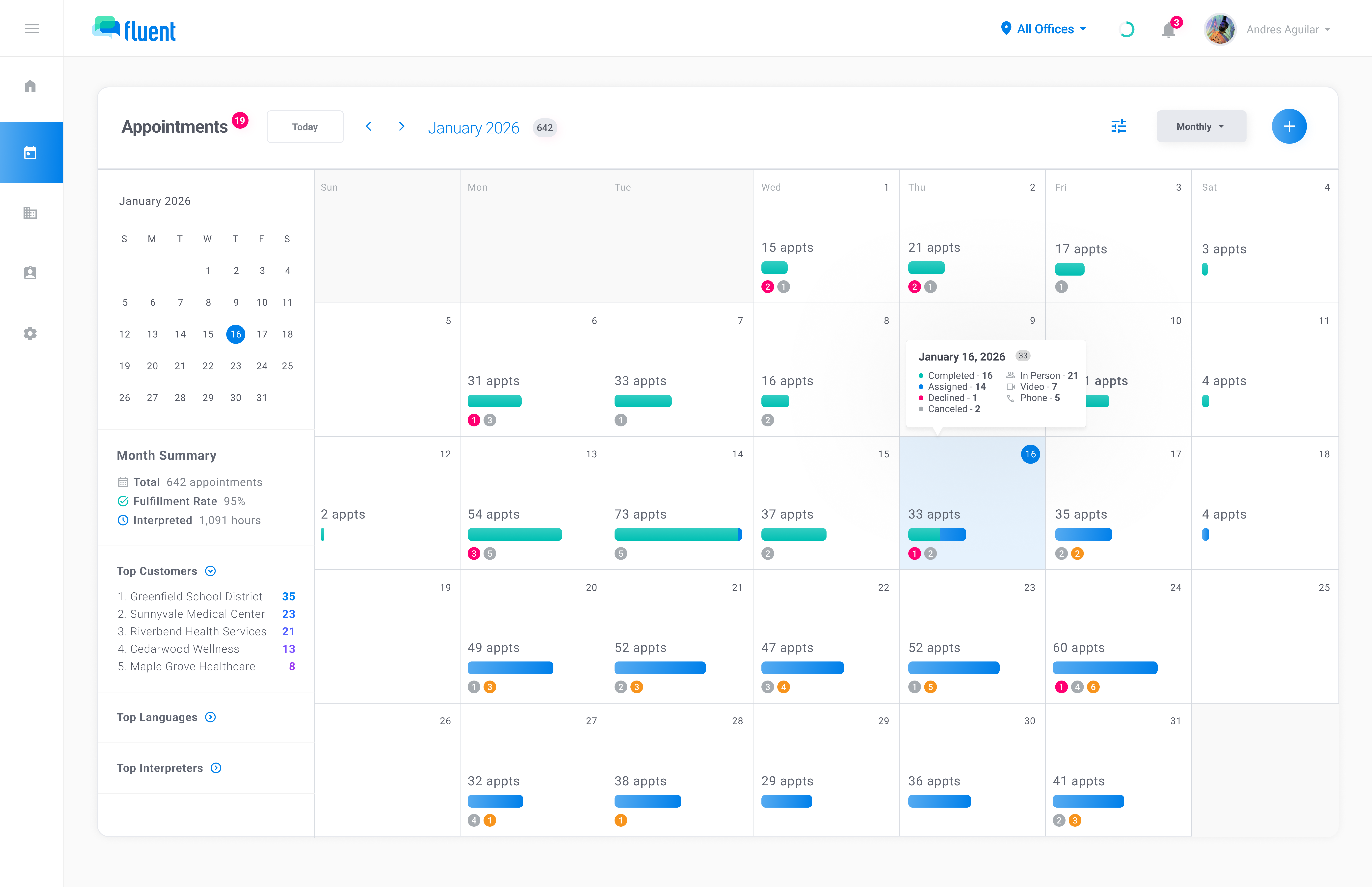
See totals, breakdowns, and trends across interpreter profiles, customer profiles, calendar views, and the reports page.
Explore richer reporting views for performance, volume, coverage, service locations, and operational trends, then export the data when needed.
Jump from top customers, languages, teams, and more into filtered views to quickly explore what is driving the numbers.
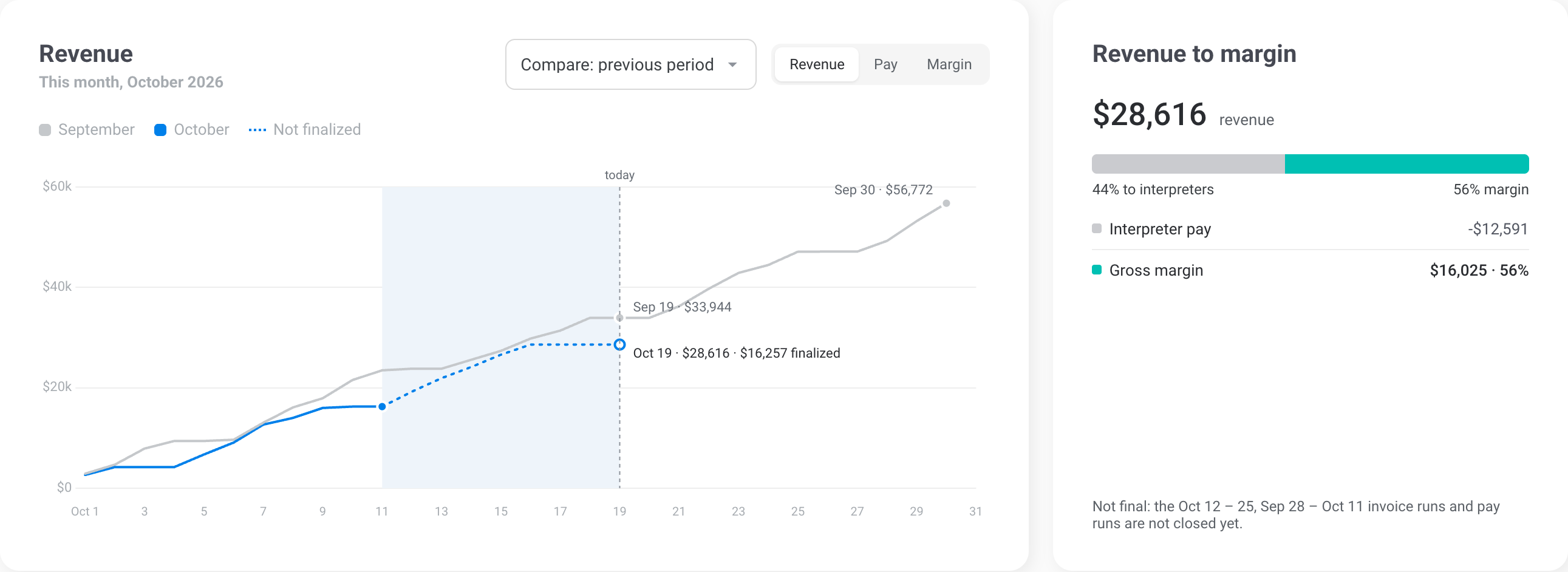
Revenue, gross margin, what customers owe you and what you owe interpreters, for any period, with the previous one beside each number. Included on every plan.

Every figure carries the change from the previous period, so a dip shows before month end.
Gross margin as a bar with your margin floor marked on it.
What customers owe you, split current, 1 to 30 days and over 30, and what is still due to interpreters.
A running total through the period, drawn over where last month stood on the same day. Switch to pay or margin; the bridge shows where every revenue dollar went.
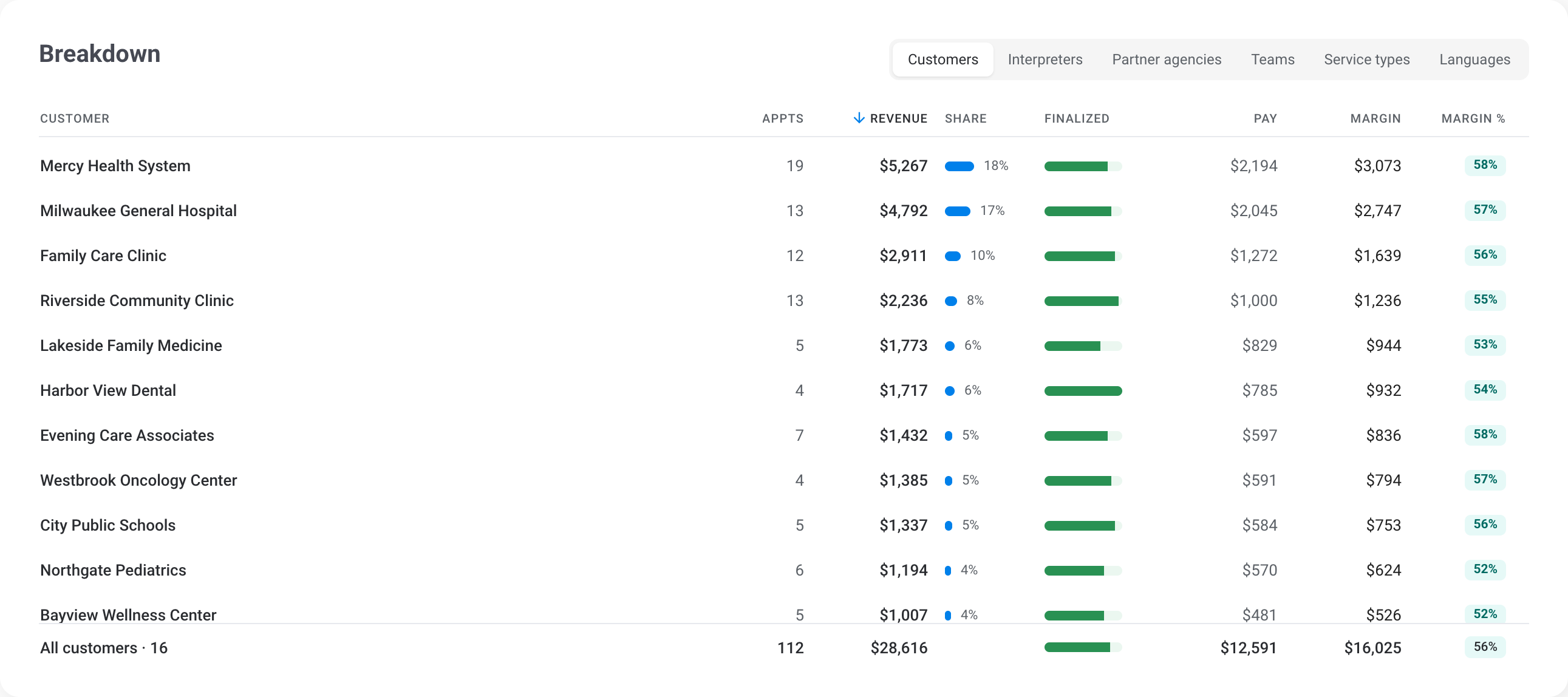
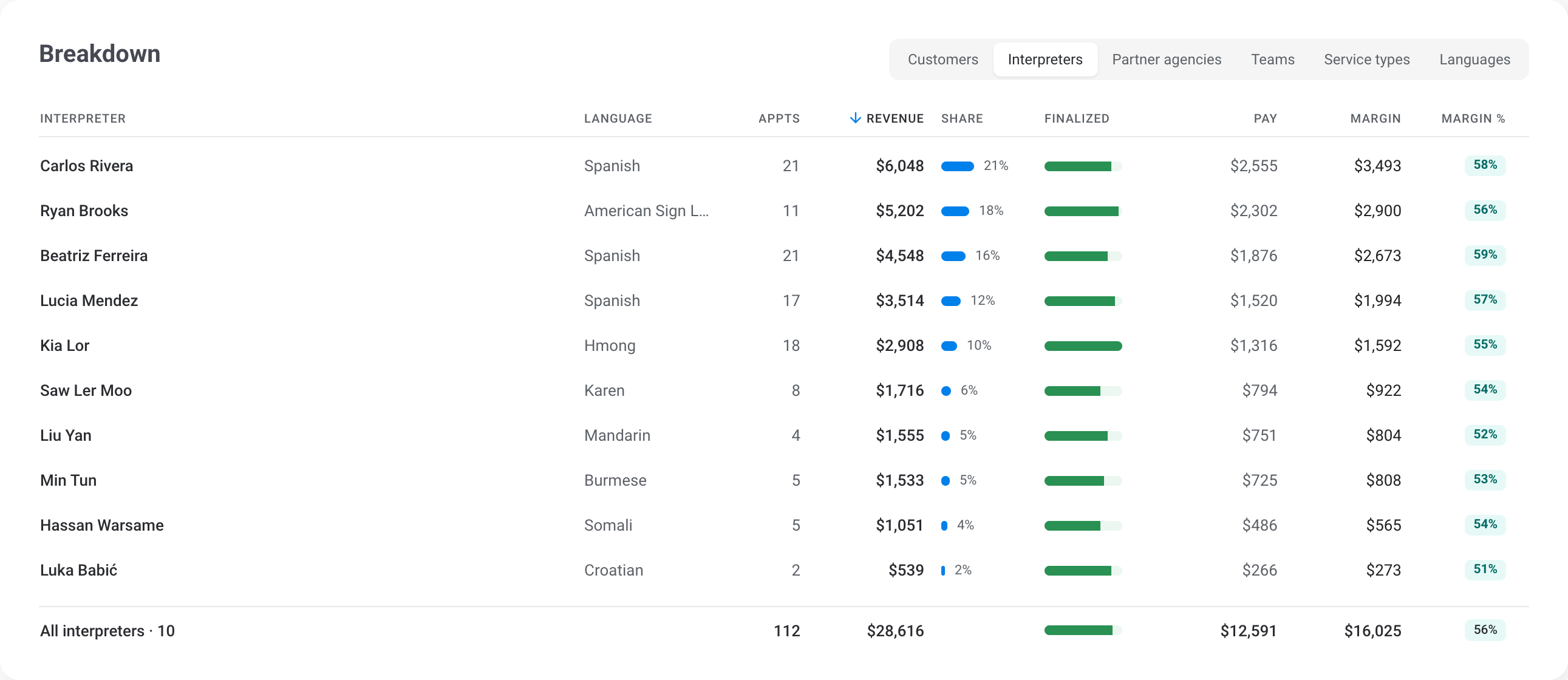
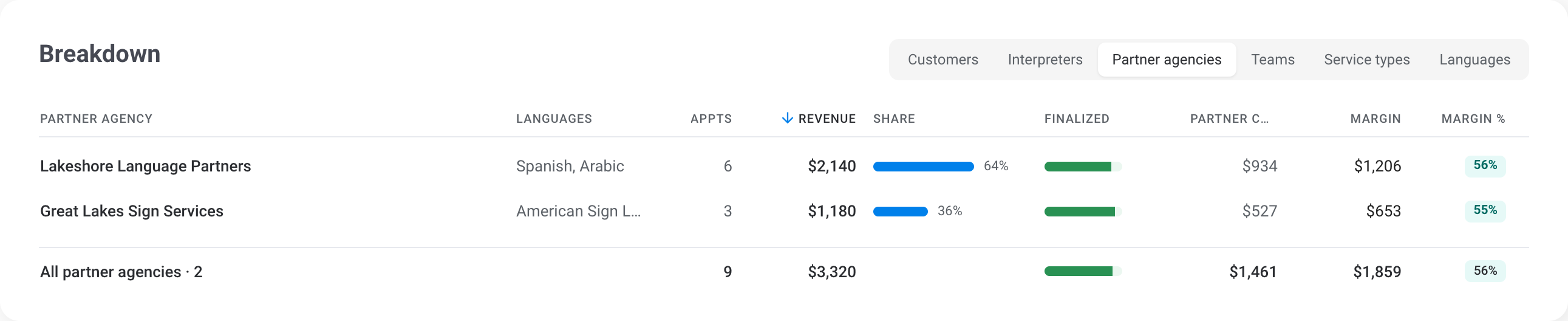
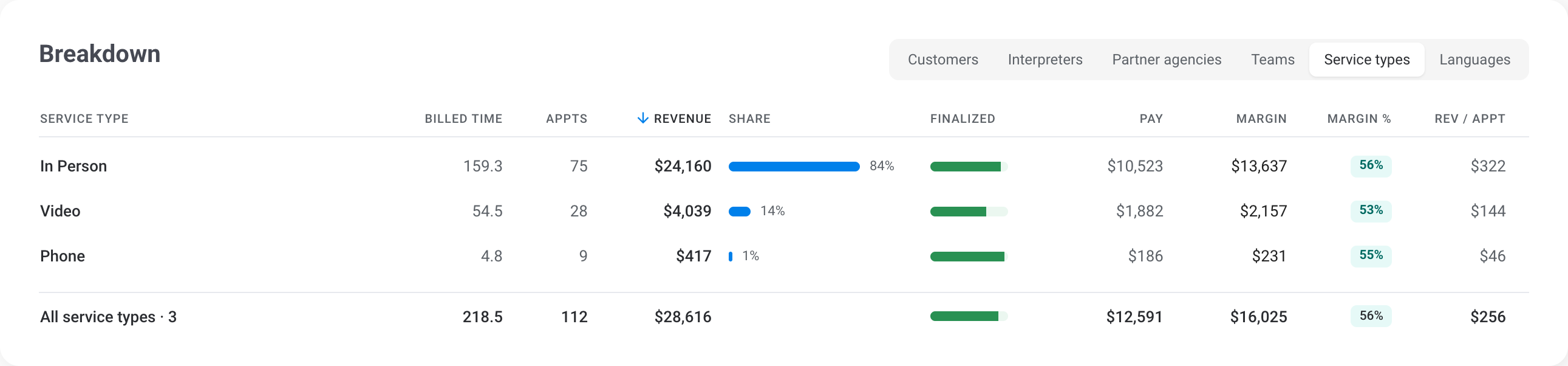
By customer, interpreter, partner agency, team, service type or language. Every row shows revenue, pay and margin, with its share of the period and how much of it is final.

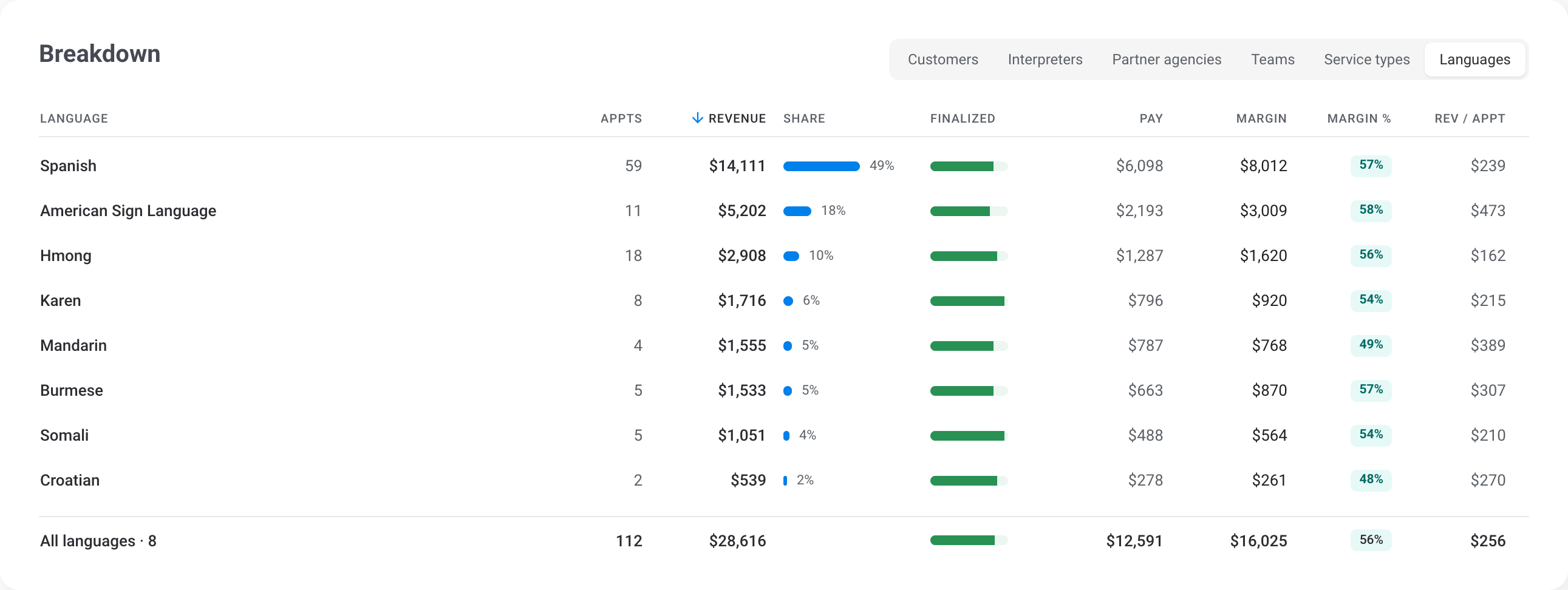
Reports stays responsive even when you filter across agencies, offices, customers, interpreters, and languages—so you can answer questions in the meeting, not after it.
Filters apply across every chart—no separate report builder required.
See language demand, customer concentration, and appointment outcomes at a glance—then follow the trail with filters and drilldowns.
Spot high-volume languages and identify shifts in demand over time.
See where appointment volume is coming from and which customers are driving the most activity.
Monitor cancellations, declines, and missed appointments to catch issues before they become patterns.
Map appointment locations to understand geographic coverage, travel patterns, and high-volume service areas.
Generate a PDF report for stakeholders or export CSV data for deeper analysis. CSV exports are protected behind multi-factor authentication.
Create a clean, shareable report for any time range and filter set, complete with charts and summary insights.
Download raw data, choose which columns to include, and export for deeper analysis. The Billing report exports its breakdown tables the same way. Restricted to admin users and protected by multi-factor authentication.
We'll walk you through how dashboards, filters, and exports work together.