The work gets done.
Interpreters submit vouchers from the field: actual time, mileage and travel.
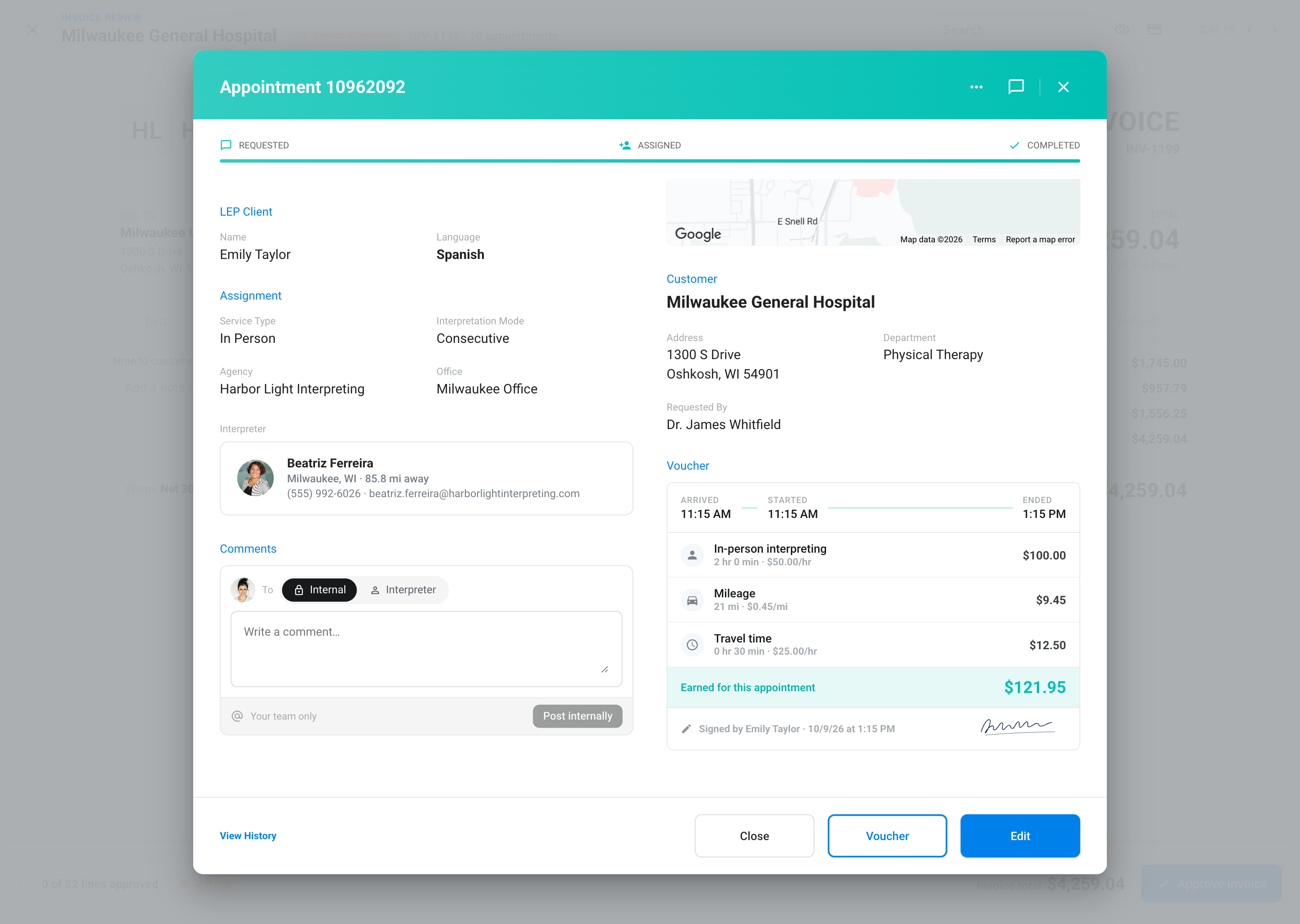

Rates go in once. Every period, Fluent drafts the invoices and pay statements from the completed appointments. You review the flags and approve.
Included on every plan.
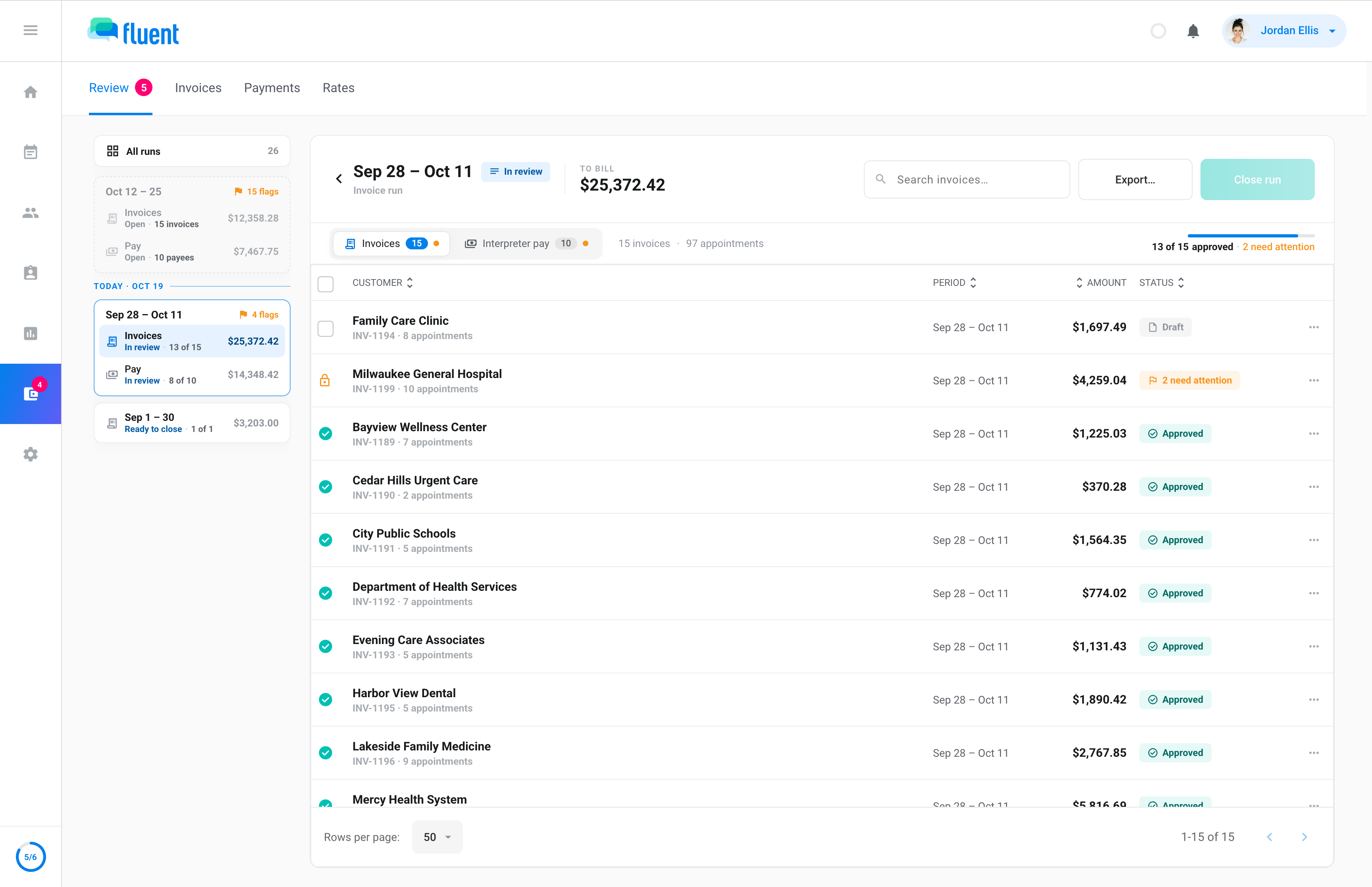
Weekly, twice a month or monthly. A customer who needs their own cadence gets one.
Language groups, time bands, minimums, rounding, travel and mileage. Set once on a rate card, applied every run.
Anything off gets a flag before it goes out: a missing voucher, a language with no rate, margin under your floor.
One flow from a completed appointment to the invoice and the pay statement it belongs on.
Interpreters submit vouchers from the field: actual time, mileage and travel.
Your rate cards and billing rules price every appointment, and each line lands in the billing run for its period.
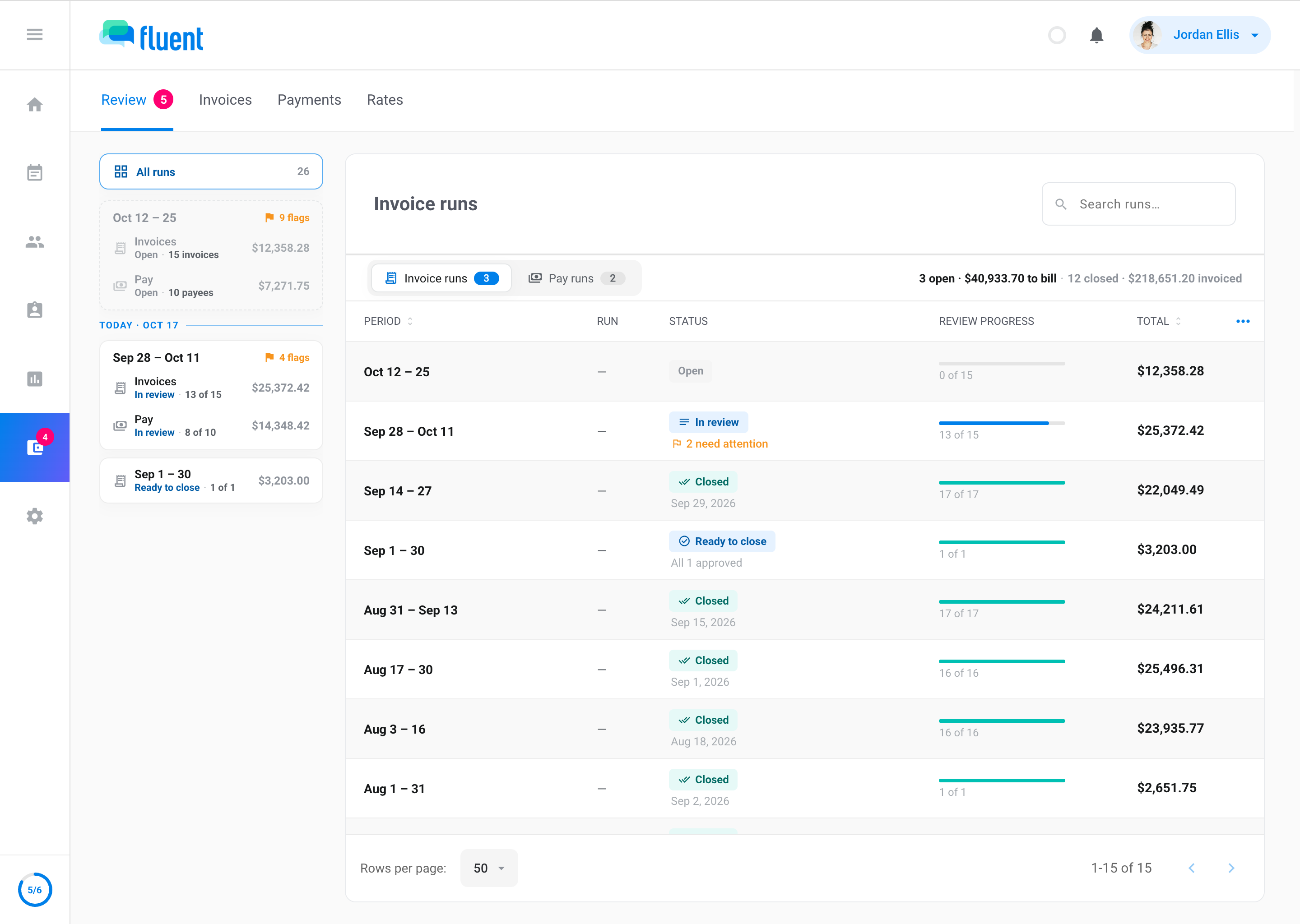
Draft invoices and pay statements wait for you. Flags mark the lines that need a closer look; everything else approves in bulk.
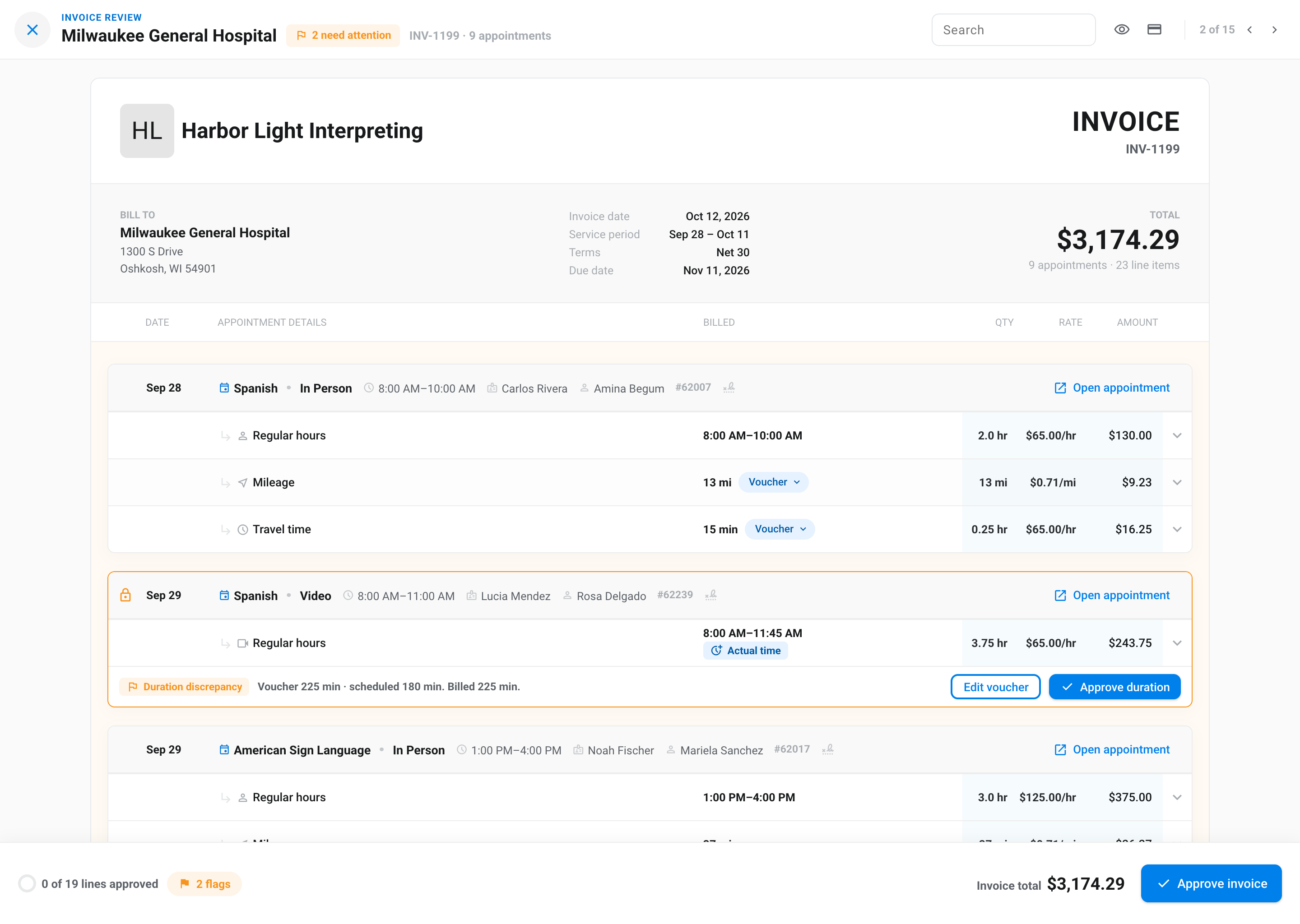
Invoices go to customers, statements go to interpreters, and QuickBooks gets the invoices.
A rate card holds a full set of rates: in-person, video and phone, four time bands, minimums, language groups, travel and mileage. Customers, interpreters and partner agencies each get cards of their own.
Every agency bills a little differently. The rules on a card are how you say so once, and then every appointment on that card follows them without anyone doing the math.
Change a rule on the card and every open appointment follows it from the effective date you choose.
Every save asks when the new rates start. Before you confirm, Fluent shows what the change reaches: the customers on the card and the open invoices that will re-bill.
Draft invoices and pay statements arrive with their flags attached, so the only ones you read line by line are the ones that need it.
A language or service with no rate is named and held, never billed at zero.
The appointment waits for its voucher and rolls into the next run. One click reminds the interpreters who owe one.
Voucher time or mileage that disagrees with the schedule or the route estimate gets a flag on that line.
Set a margin floor for the agency. Any appointment that bills under it is flagged before approval.
Clean invoices approve in bulk. One that already went out can be revised, with the change on record.
The Billing report sits beside your runs: revenue, interpreter pay and gross margin for any period, broken down by customer, interpreter, language or service type.

Revenue, interpreter pay, gross margin and what's still owed to you, with the previous period beside each number.
A running total through the period, drawn over where the previous period stood on the same day.
By customer, interpreter, language, service type or team. Every row shows revenue, pay and margin.
Open a customer or interpreter to see their invoices and runs, then filter the whole report to them.
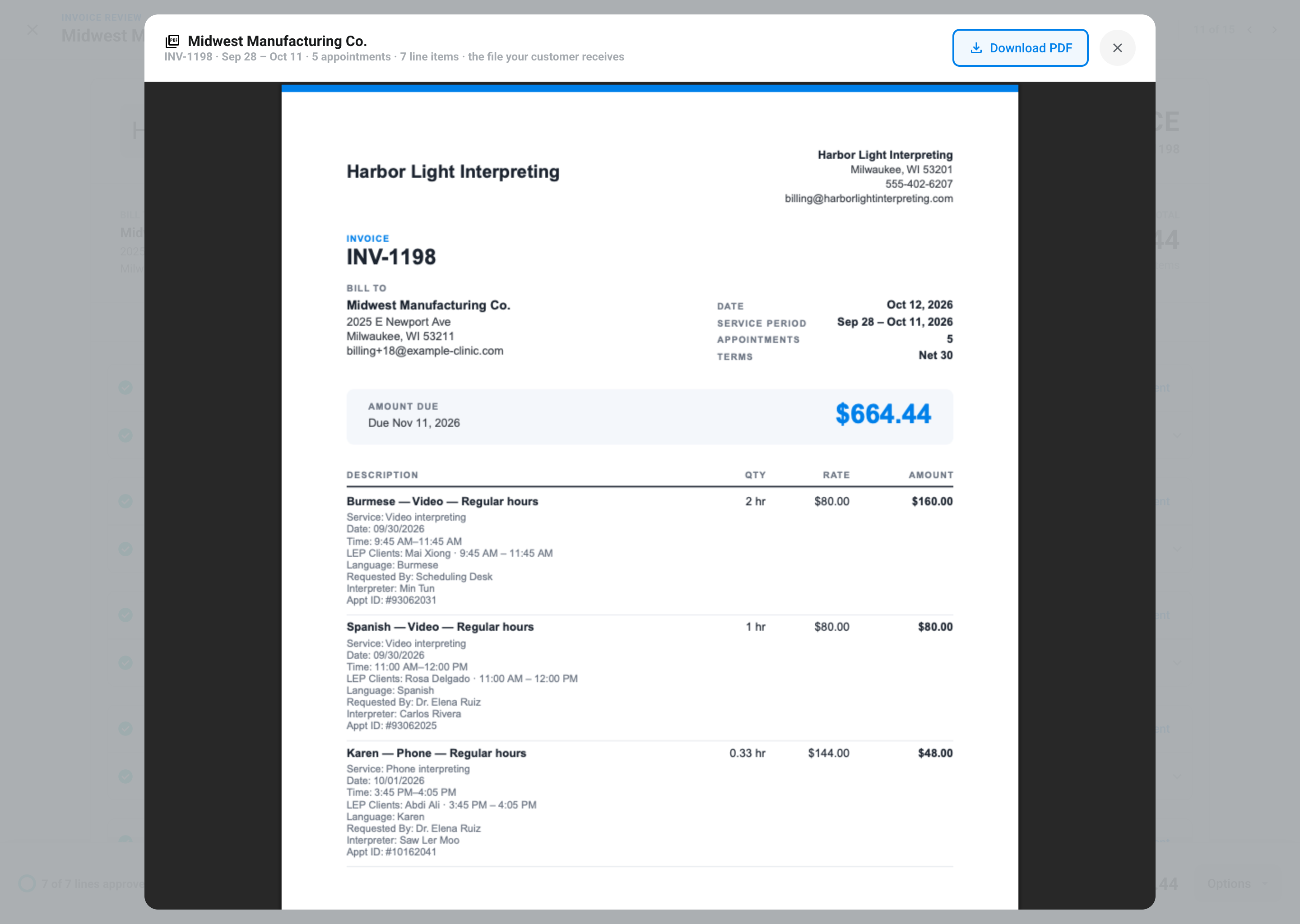
Export one approved invoice or a whole run as a PDF, CSV or Excel workbook, whenever you need it. Every export requires two-factor verification and is logged. QuickBooks sync is there if you use it, not a requirement.
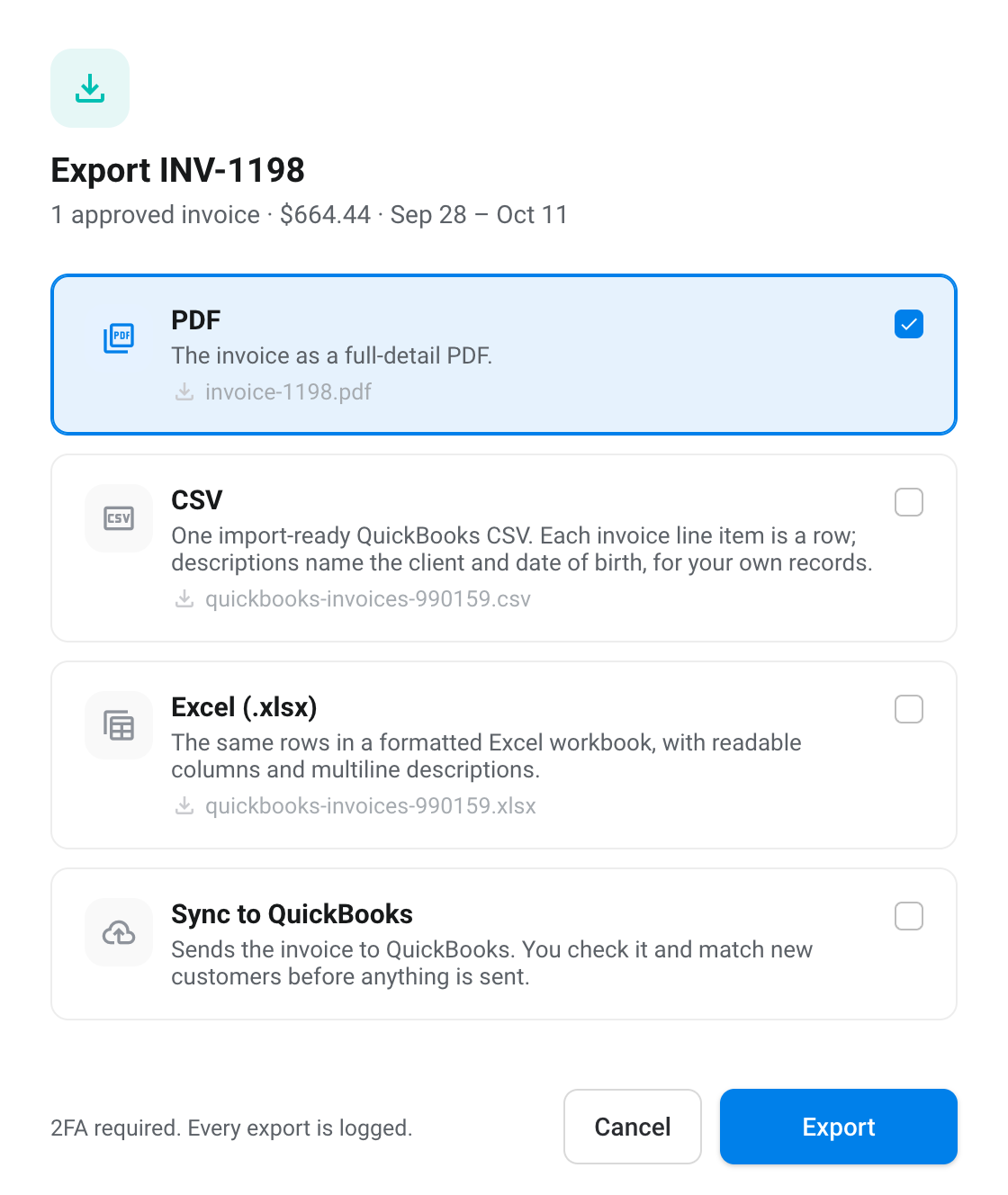
The invoice your customer receives, one file per invoice or the whole run zipped.
One row per line item, with the columns you chose in Settings. Import-ready for any accounting system.
The same rows, formatted, with readable column names and multiline descriptions.
If you use it: closed invoices become QuickBooks invoices, pay runs become bills, and new customers are matched before anything is sent.
An interpreting invoice can carry patient names, dates and providers, and most inboxes aren't built to hold them. The portal sends a summary and opens the details only after your customer signs in.
Invoice INV-1194 · $1,697.49 due Nov 11, 2026Inbox
Billed to Family Care Clinic, attn. Accounts Payable.
Sent through Fluent. Not expecting this invoice? Check with the sender before you pay.
Book a walkthrough. We'll put your rates on a card, run one real period, and show you the flags and the margin it produces.